What should an office parking policy cover?
An office parking policy explains who can use each type of space, when spaces can be reserved and what happens when plans change. Make it easy to find before travelling to the office and keep it consistent with the agreements governing the car park.
- Who can book employee, visitor and designated parking spaces?
- How far ahead, and for how long, can a parking space be reserved?
- How do you cancel a parking reservation you no longer need?
- Who helps if a reserved parking space is occupied?
- Where do you find rules for access, permits and charging?
Start with the spaces you can allocate
List the parking spaces available to the company and any restrictions in the lease or operating agreement. Distinguish between general spaces, visitor spaces and spaces designated for particular purposes. Do not count a space with specific access conditions as freely available to everyone.
Agree who keeps the list and signage up to date. Manage temporary closures so employees do not plan their arrival around spaces they cannot use.
Choose an allocation rule you can explain
First come, first served, fixed allocations and a mix of shared and reserved spaces each require different administration. Choose what suits your needs and describe any exceptions. If demand exceeds capacity, employees need to know the alternative when no spaces remain.
Agree on the reservation period too. An all-day reservation may suit a full day at the office, while shorter visits may need a different arrangement. Use only time periods and rules supported by your setup.
Make cancellation part of the routine
Ask employees to cancel as soon as their plans change. Explain how to release a parking space and check that the cancellation has been recorded. Distinguish between an unused reservation and a space that is physically available; one does not automatically prove the other.
If you want automatic release, agree on the timing, conditions and basis for assessing usage during setup. Do not state in the policy that a particular automation is active until it has been checked in your solution.
Plan visitor arrivals separately
Agree whether the host or reception reserves visitor parking and who sends the directions. Visitors need the address, entrance, time and any permit or registration requirements. A booking confirmation alone does not prove that a barrier will open or that the parking operator’s requirements have been met.
Example: A visitor attends a morning meeting and stays longer than planned. The host checks whether the parking reservation can be extended and tells the visitor what has been confirmed. If there is no space, the visitor uses the alternative parking option provided by reception.
Keep booking, access and charging separate
Reserving an electric vehicle space does not, by itself, explain charging, payment or when to move the car. Refer to the specific charging and parking rules and provide a contact for faults. Employees should not have to guess whether they may use a space without charging.
From shared rules to MyDesk configuration
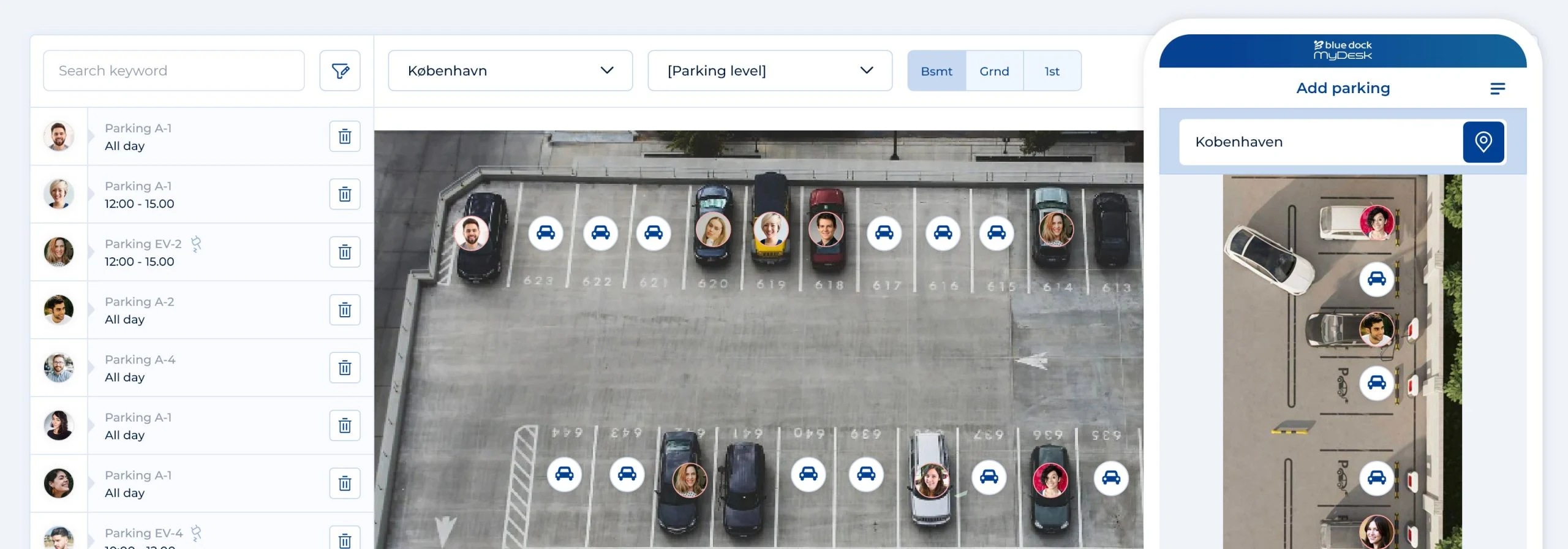
MyDesk supports parking reservations before arrival and visual selection of spaces. Zones and rules are agreed during setup. Use your written policy to review the map, access and booking options with the person responsible for the solution. Then check the process with both an employee and the person handling visitors.
Explore MyDesk parking booking.
Read about parking reservations and electric vehicle spaces.