Start with what you want to measure
A sensor installation must suit the question the office needs to answer. Do you want to know if a desk is in use or how many people are sitting in a meeting room? It does not necessarily require the same sensor type. Agree on the measurement point and application before you order equipment and mark locations on the floor plan.
MyDesk uses sensors from Disruptive Technologies. A Desk Occupancy Sensor detects desk use; counting people in a room requires a different, suitable sensor type. Agree the specific model and setup with the installer.
Follow the instructions for the specific model
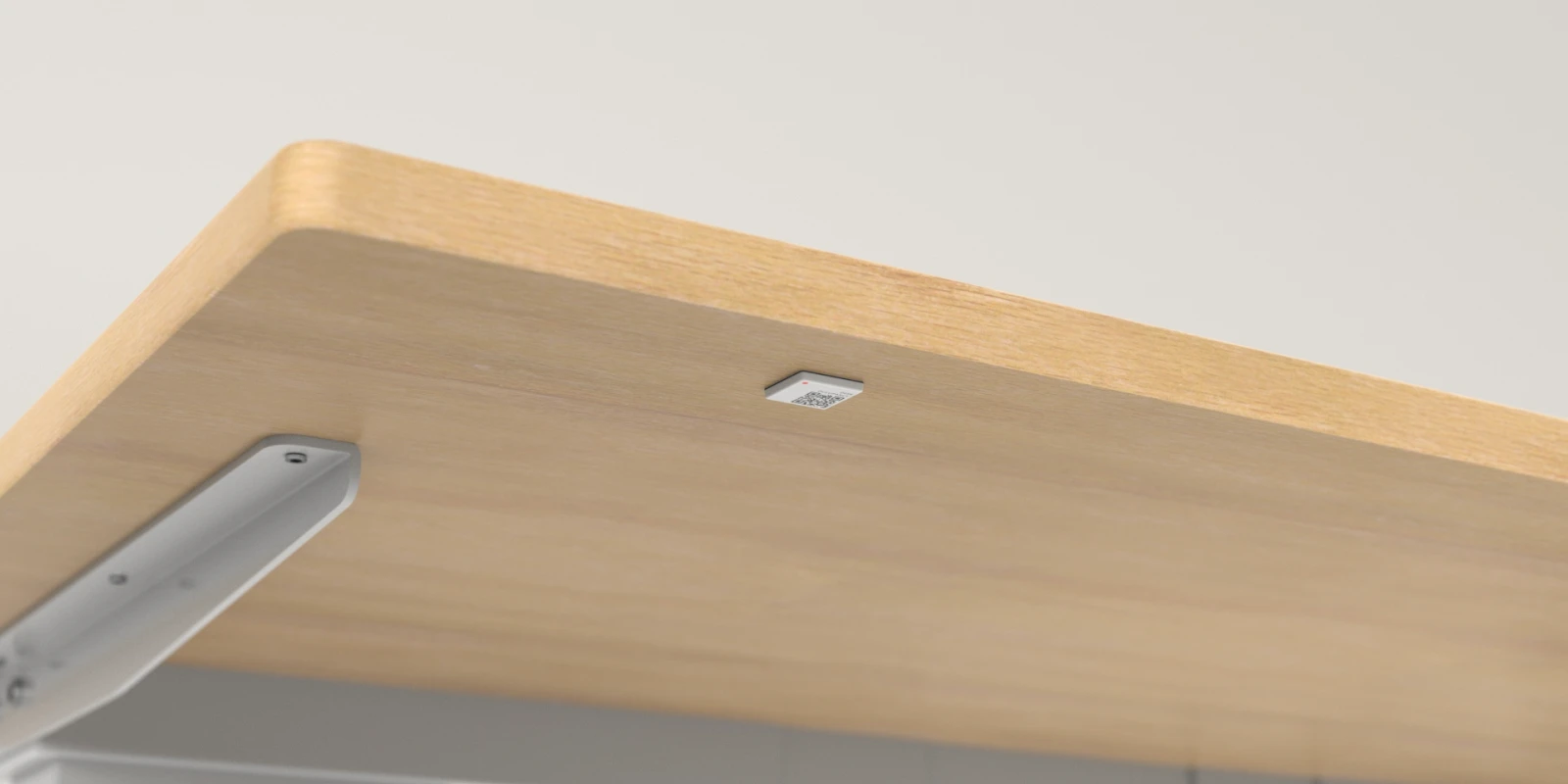
For the Desk Occupancy Sensor, the manufacturer specifies mounting beneath the desk, about 2–4 cm from the front edge, centred where the person normally sits. This is guidance for that model; do not assume it applies to every office sensor.
Review table material, possible heat sources and the wireless connection with the installer. The manufacturer's instructions describe that metal tables can affect the range, and that walls and building materials have an effect on the coverage of the Cloud Connectors. A connection in one place does not prove that the entire area is covered.
Associate each sensor with the correct measurement point
- Note the identity of the sensor and the workplace or area it will measure.
- Check that the marking on the floor plan corresponds to the physical location.
- Agree who updates the mapping when a desk or sensor is moved.
For example, try a workplace by a window and one further inside the office. Record location and relevant conditions separately so that a difference can be investigated. Two desks with the same booking pattern may have different physical environments.
Test measurement and connection separately
A sensor can be online without its placement providing the readings you need. Check both connectivity and whether the readings match the use being tested. For the Desk Occupancy Sensor, the manufacturer describes a settling period requiring one working day of data after installation. Do not judge readings solely by the first few minutes.
Agree a test covering normal use and periods without use. Record the time, observed use and displayed reading. Ask the installer to explain the update interval and any delay for the chosen configuration before treating differences as faults.
Test automation separately
If sensor data will trigger automatic booking, check-in or release in MyDesk, test the agreed rules too. Check the workflow at the correct desk: without a reservation, with an existing reservation and when the desk is unused. Distinguish the sensor reading from the action MyDesk performs under the configured rules.
Save the results and agreed corrections before expanding to more desks. An approved pilot should document the models, placements and rules tested, who follows up and what needs checking again after office changes.
See MyDesk sensors and the setup options.
Read about calculating the office occupancy rate.
Read the manufacturer's installation instructions for the Desk Occupancy Sensor (English).