Sådan gør du
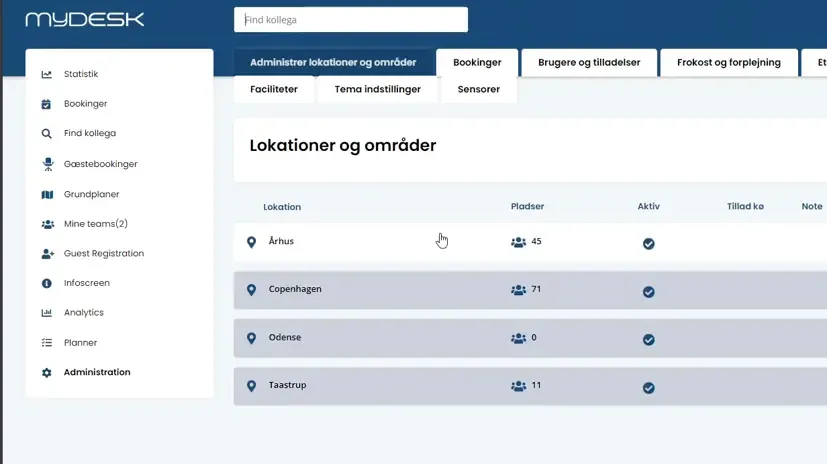
Log in as an administrator and select the correct location.
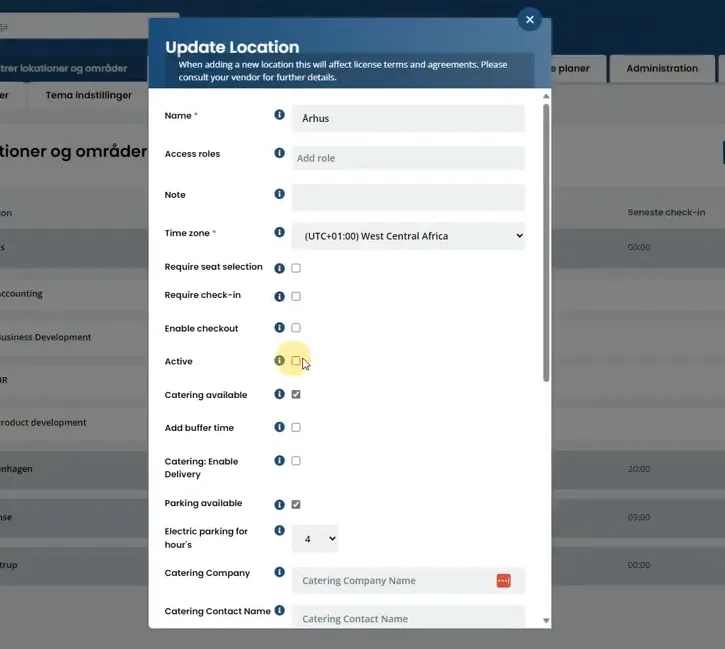
For an entire location: open the three-dot menu, select Edit, and remove Active. Save the change.
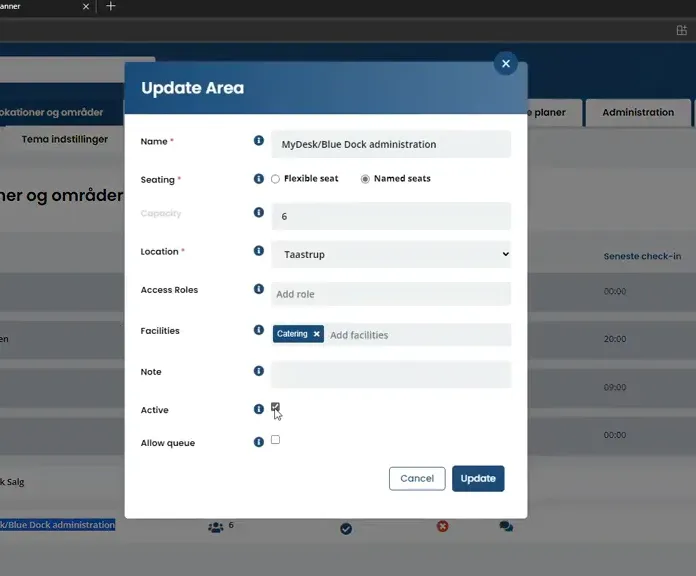
For an area: open the area's editor and make it inactive.
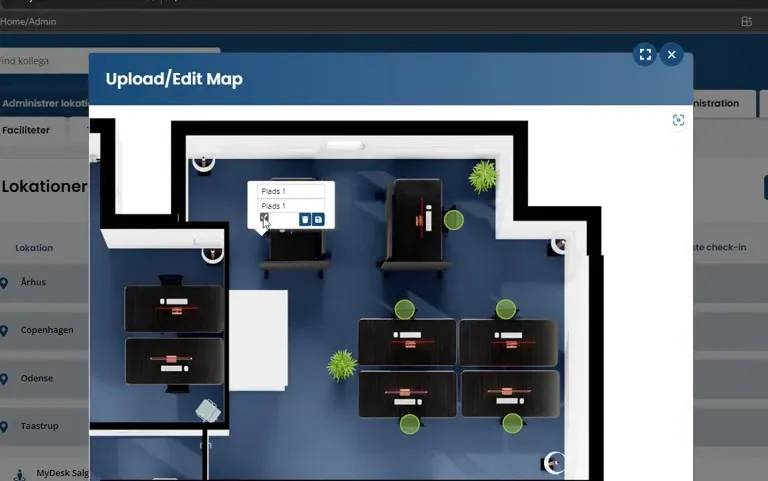
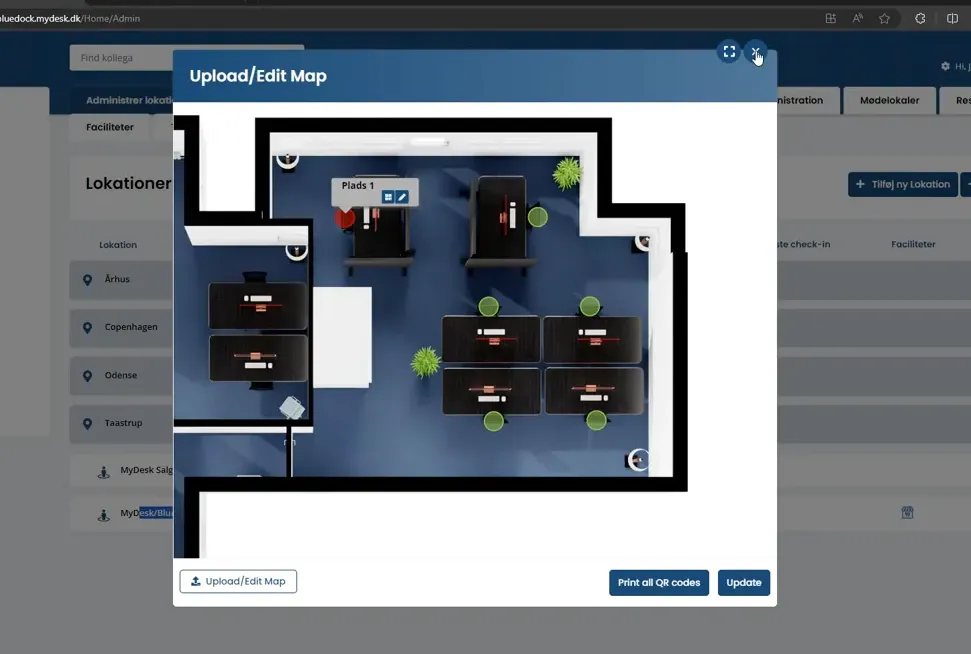
For a single slot: use the pencil icon, uncheck the asset and press Save and Update.
Check in the employee view that the affected area or seat can no longer be booked.
Se den oprindelige video
Video og skærmbilleder kan vise en tidligere version af MyDesk.
See screenshots from the original guide (5)
Skærmbillederne stammer fra den tidligere guide og kan vise en ældre brugerflade.