This is how you do it
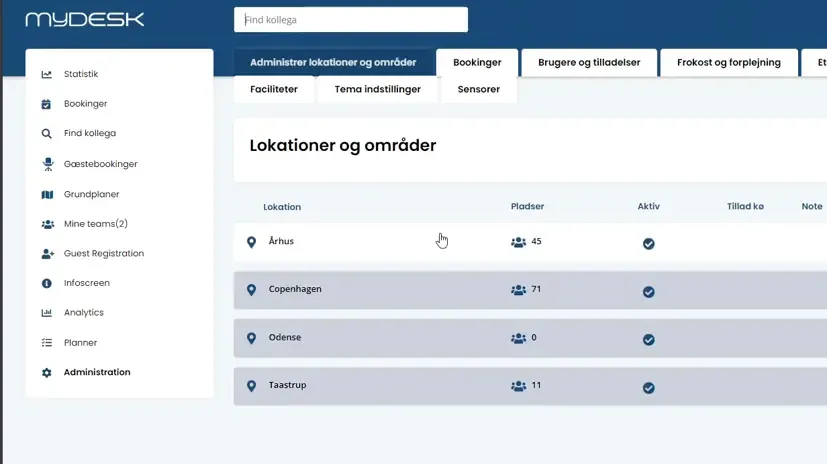
Log in as an administrator and select the correct location.
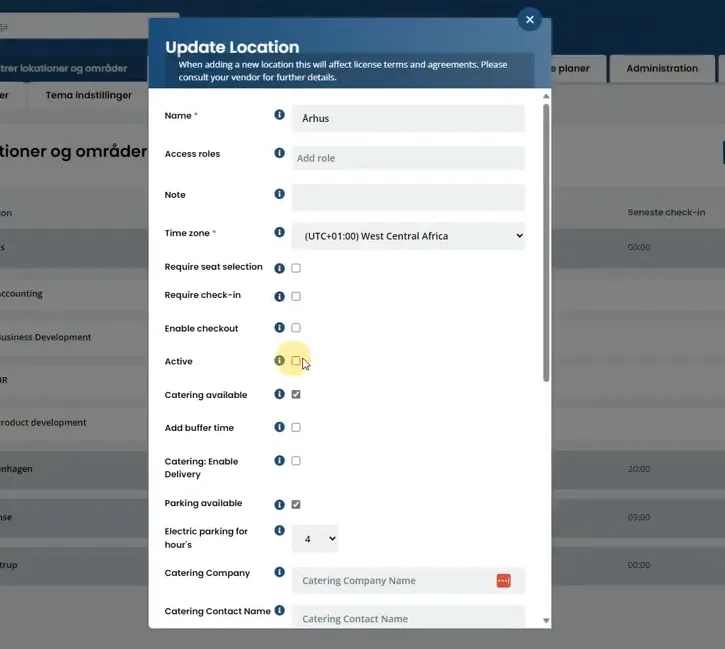
For an entire location: open the three-dot menu, select Edit, and remove Active. Save the change.
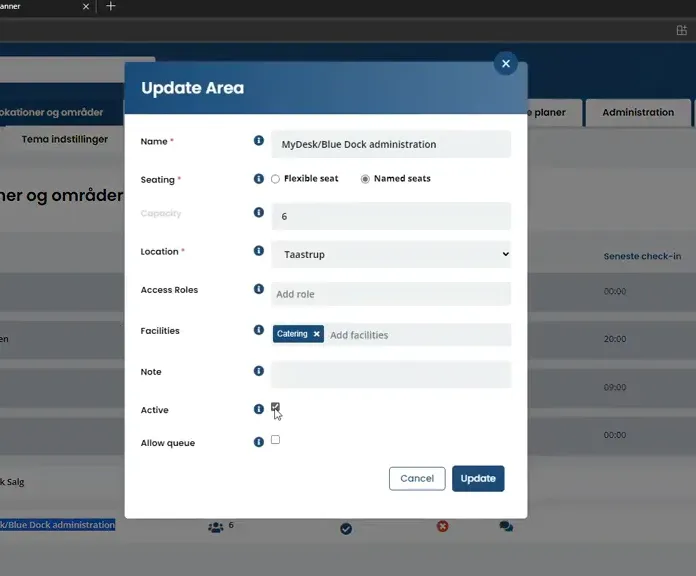
For an area: open the area's editor and make it inactive.
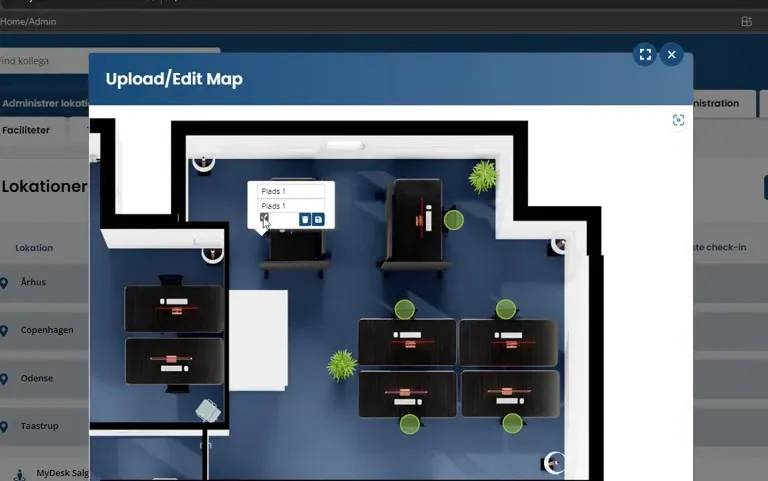
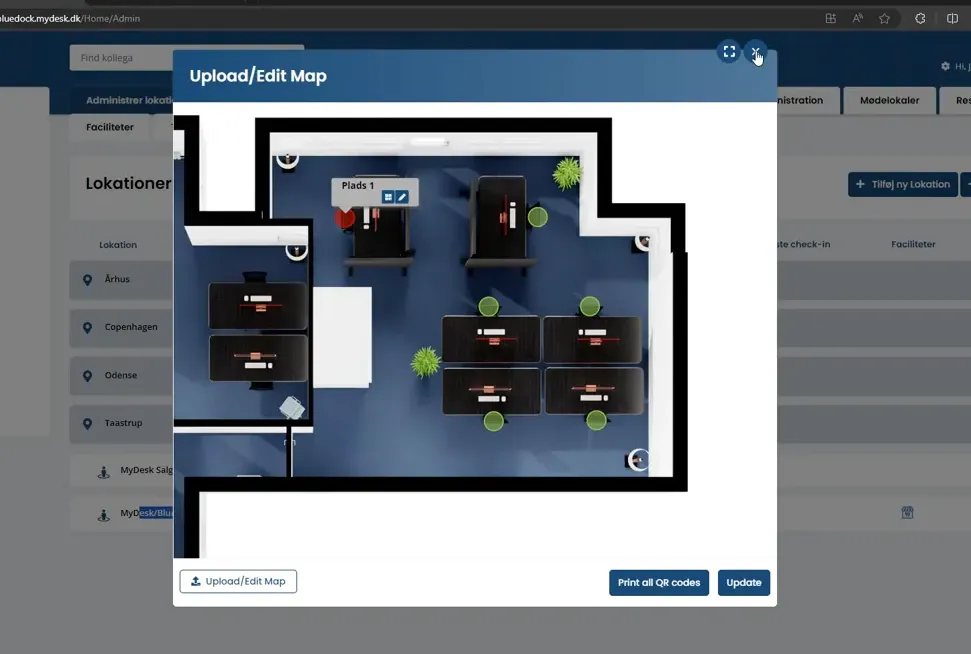
For a single slot: use the pencil icon, uncheck the asset and press Save and Update.
Check in the employee view that the affected area or seat can no longer be booked.
See screenshots from the original guide (5)
The screenshots are from the previous guide and may show an older user interface.