Invite the guest.
Prepare the reception.
Pre-register guests directly from Outlook when scheduling the meeting. The reception can see who is expected and who will receive. This makes it easier to be ready for today's visit.
MyDesk guest registration
Give guests a welcome they remember. With the MyDesk you can prepare the visit in the Outlook, let the guest check in on a screen and notify the host of the arrival.
The reception gets a comprehensive overview of expected, arrived and checked-out guests. Then you can use the time to welcome.
From DKK 1,550 per month excl. VAT
Screens and digital guest cards are optional.
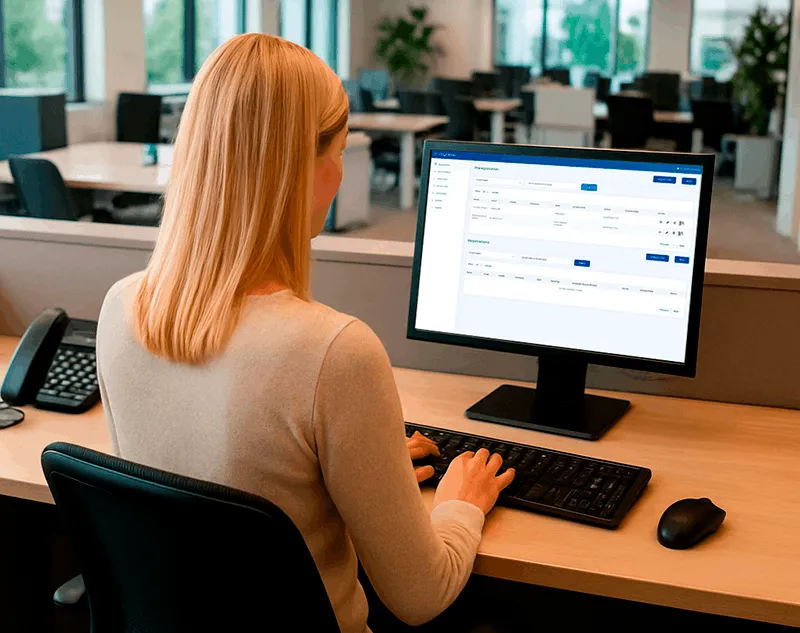
A good welcome starts before arrival
A visit begins long before the guest steps through the door. MyDesk connects the preparation in Outlook with the check-in at the reception and the overview during the visit.
Pre-register guests directly from Outlook when scheduling the meeting. The reception can see who is expected and who will receive. This makes it easier to be ready for today's visit.
The guest registers his arrival on the welcome screen. MyDesk can send an email to the host, so that the reception does not have to ring around, and the guest can quickly be greeted by the right person.
See expected guests, registered arrivals and check-outs in a comprehensive overview. The reception can follow the status of the visit and find information about the guest and the host without looking elsewhere.
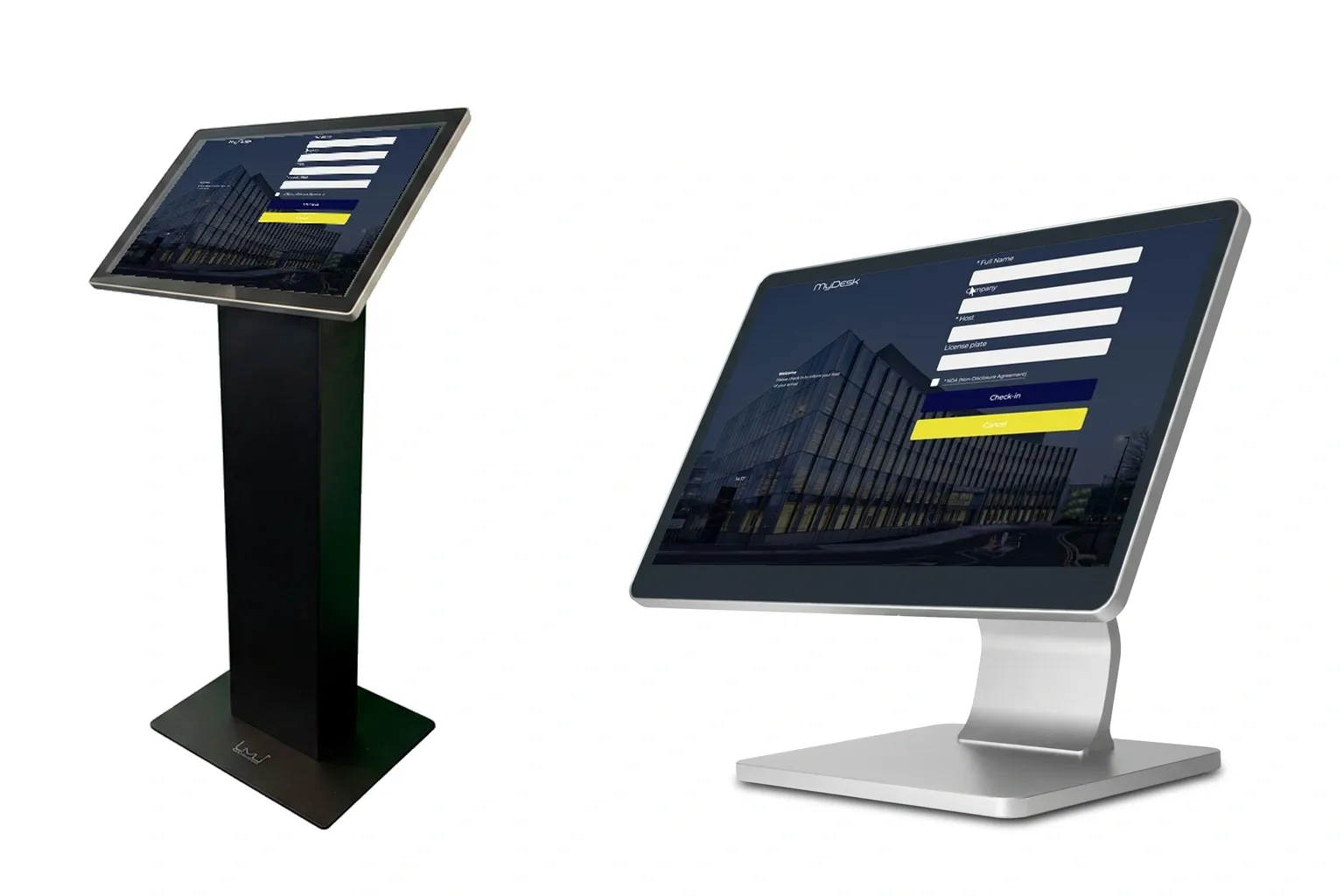
Your business. Your welcome.
The first meeting with your company must feel professional and welcoming. With the MyDesk, you get a digital welcome screen that can be adapted to your company's look, and a simple way to register the visit.
Behind the screen, the reception has the information that makes it easier to help the guest further. Choose the solution that suits you: with digital guest cards, printed guest cards or no card at all.
Customer meetings, courses and group visits
When a whole group arrives, the reception must be able to accommodate without starting over with each and every guest. Import the guest list and pre-register the visit in advance. The guests are then expected, and the reception has a common point of departure for welcoming them.
Regardless of whether you are expecting one customer or a group for a course, the MyDesk helps you prepare the visit and track the registered arrival and departure of the guests.
See group visits in a demoChoose the solution that suits you
1,550 DKK / month
Excl. VAT
Screens and other equipment are clarified separately.
Get an offer for your receptionFrom the 29 DKK / card / month
Or buy: DKK 375 per short
Both prices excl. VAT
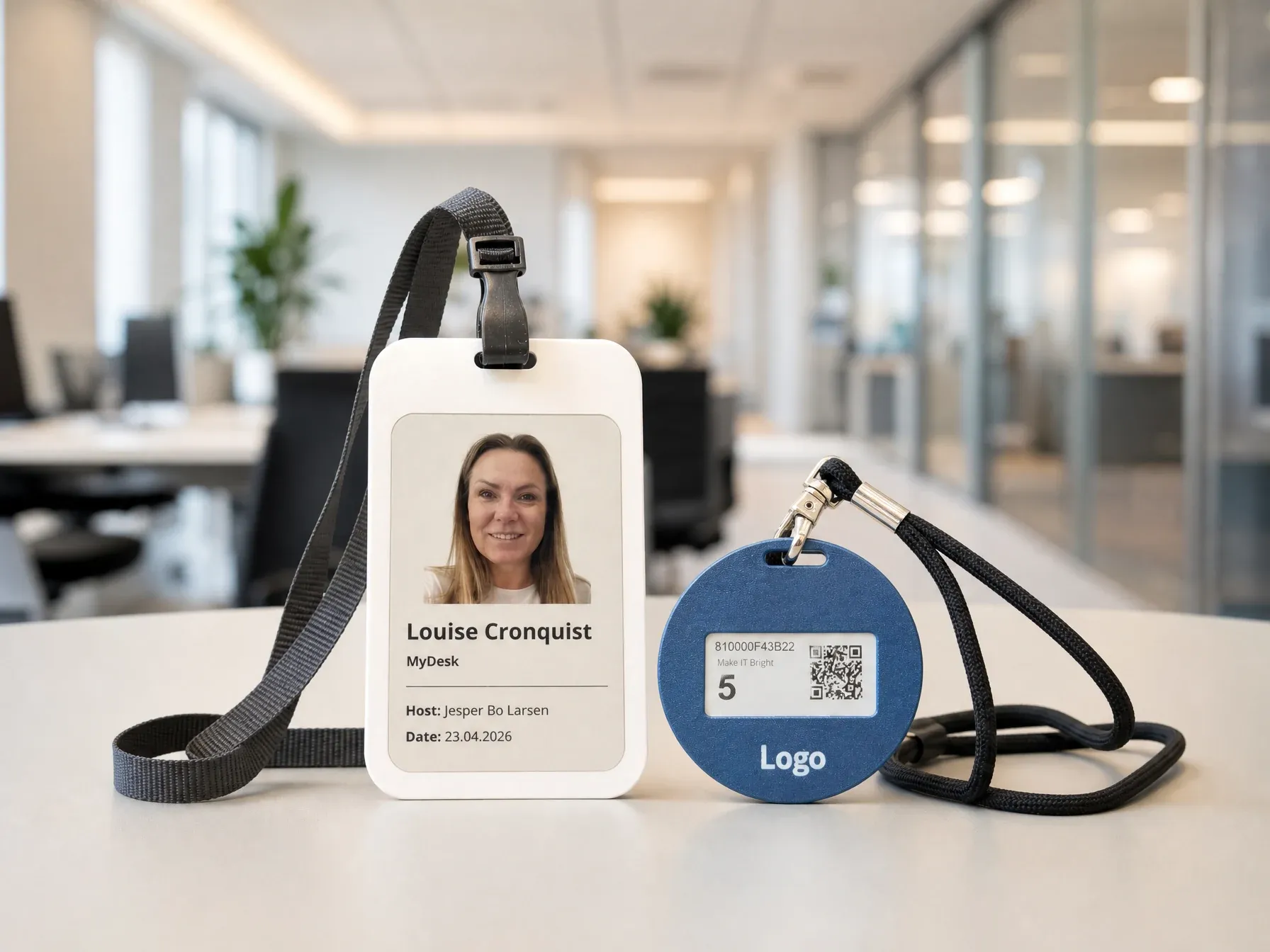
Give the guest a personal, digital guest card with name and picture on a display with 6 colours. The card makes it easy to see who you have visiting, and can be updated and used again for the next guest. A small card that makes a big impression. MyDesk guest registration subscription is available if you do not already have it.
Ask about a guest card in the offerFinal price, set-up, delivery and terms of agreement are clarified in the offer.
See it before you decide
See how the MyDesk can make a difference in your reception. In a non-binding demo, we show pre-registration, check-in, message to the host and the guest overview. We start from your everyday life and also show the digital guest cards if they are relevant to you. Select a time in the calendar below.
Would you rather have an offer?
Do you need guest registration for one reception or several locations? Tell us about your guests and wishes for screens and guest cards. We will then return with an offer that suits you. You do not need to book a meeting first.
You can also write directly to
jbl@mydesk.io
Your inquiry has been sent to MyDesk. We will get back to you at the email address you provided.
No. Guest card is optional. We can show guest registration with and without card and find the solution that suits your reception.
No. Software costs DKK 1,550 per month excl. VAT Screens, stands and guest cards are priced separately in the offer.
Yes. You can import the guest list and pre-register the group before arrival. We show it in the demo.
MyDesk can send an email when the guest checks in. Mail messages are set up for your workflow. SMS is a separate option that must be activated.