Sådan gør du
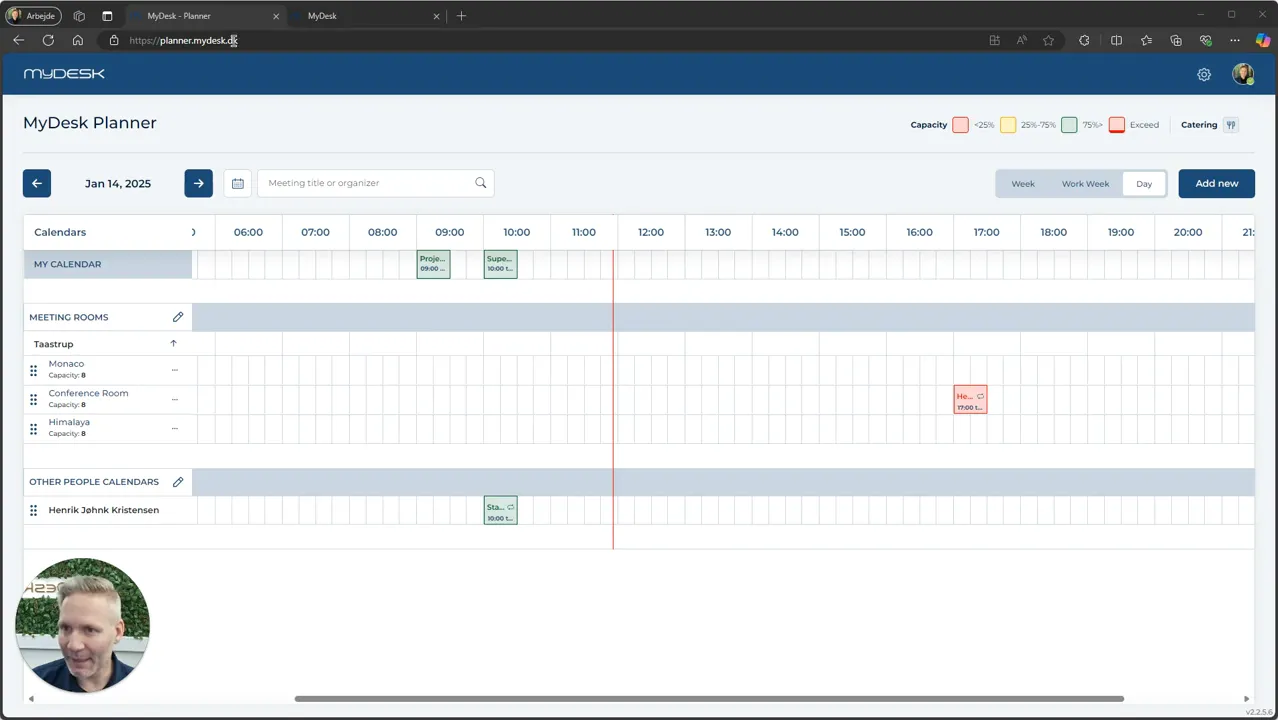
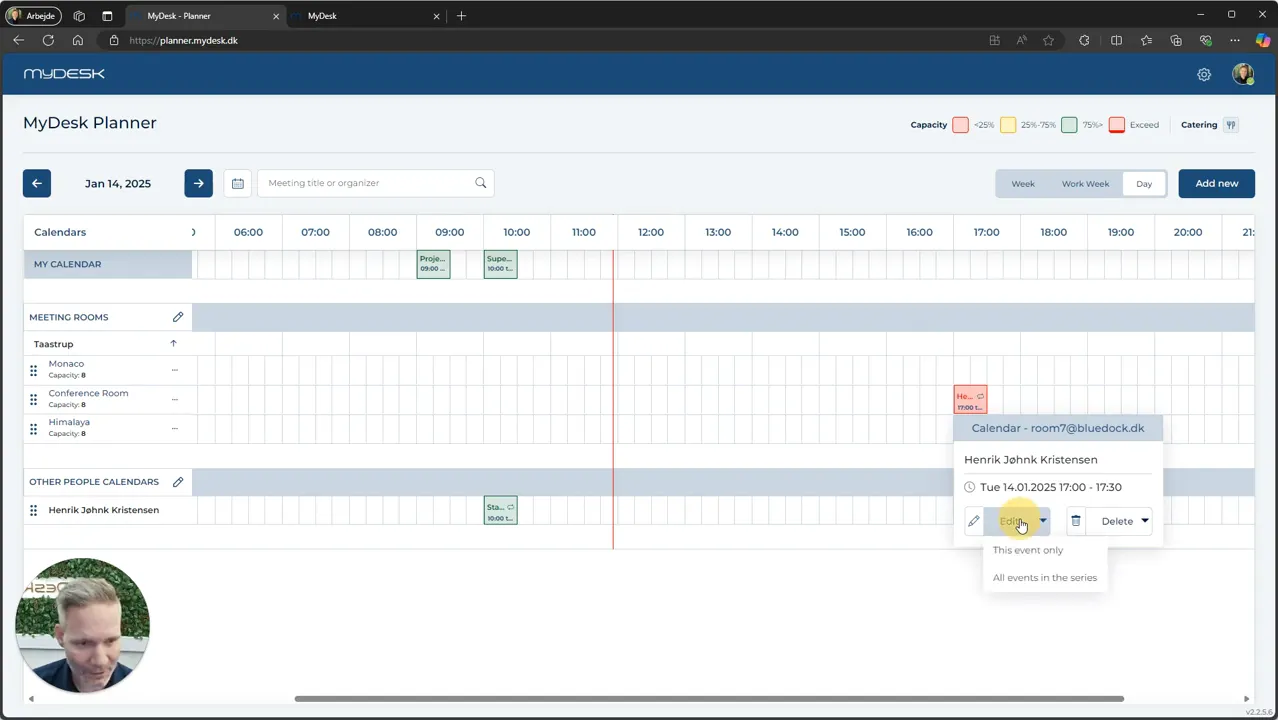
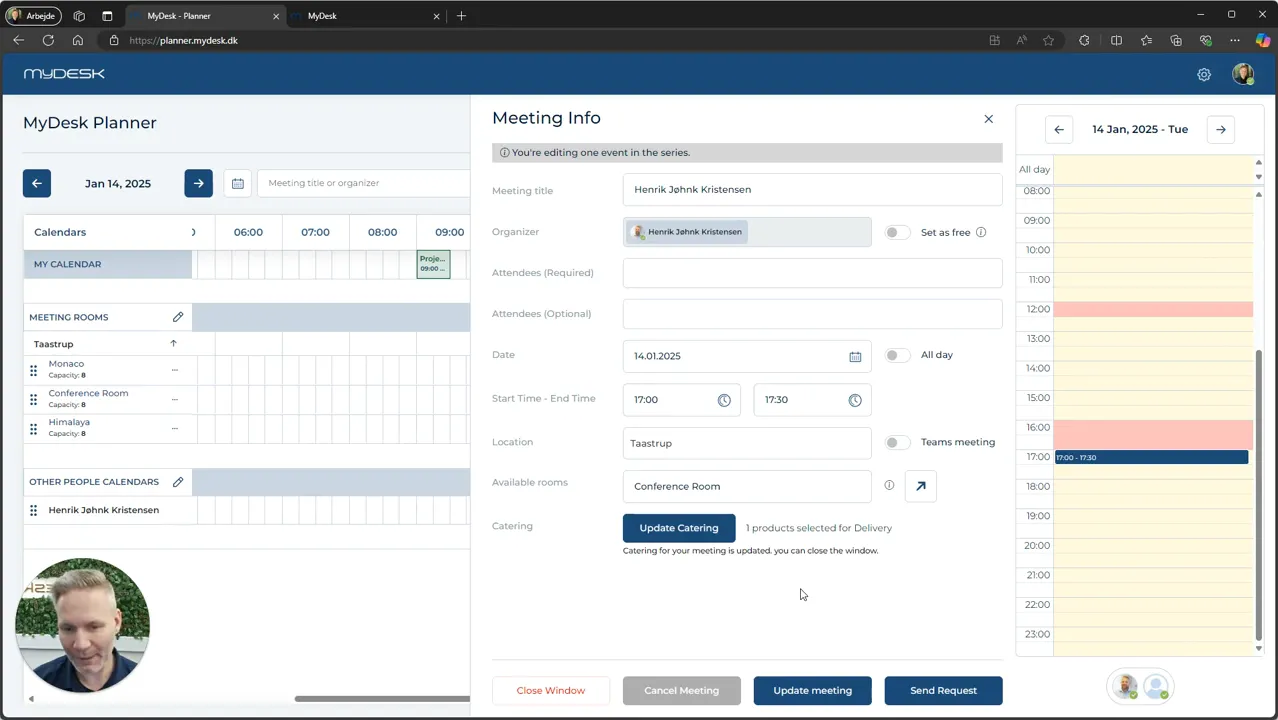
Find the date and relevant meeting in Planner and open it.
In the case of a series of meetings, you must select the specific event to which the catering relates.
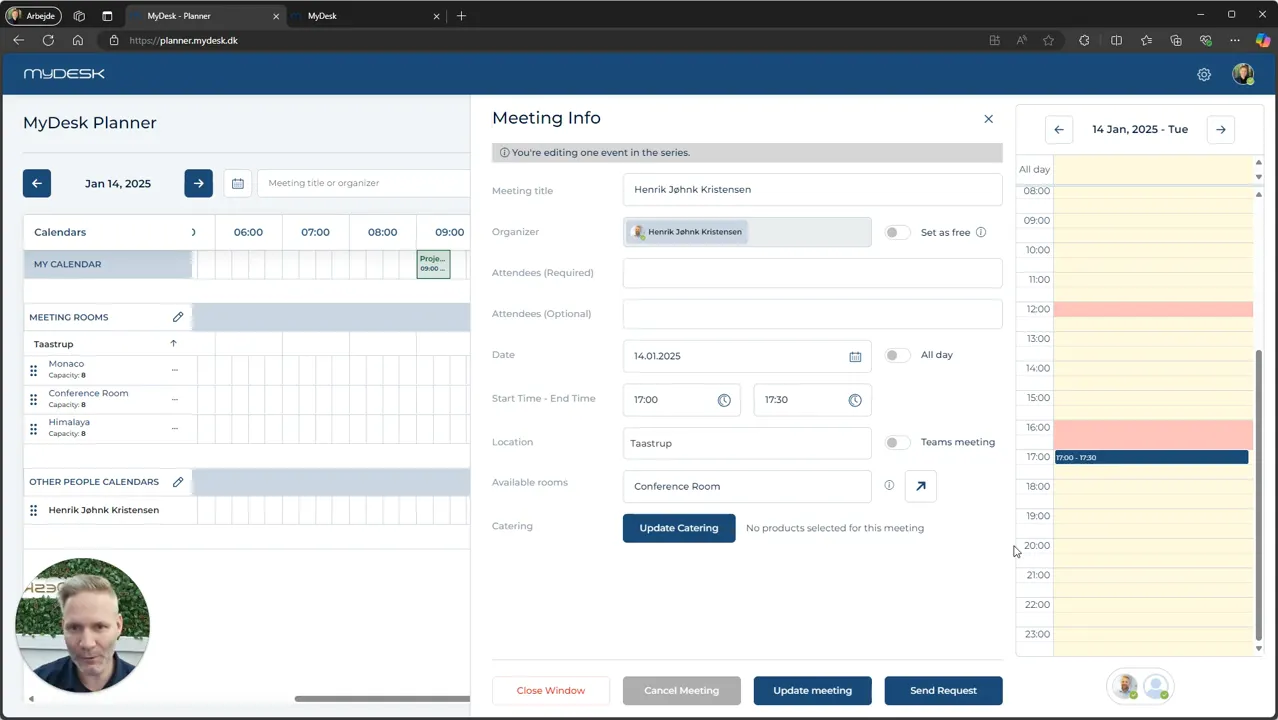
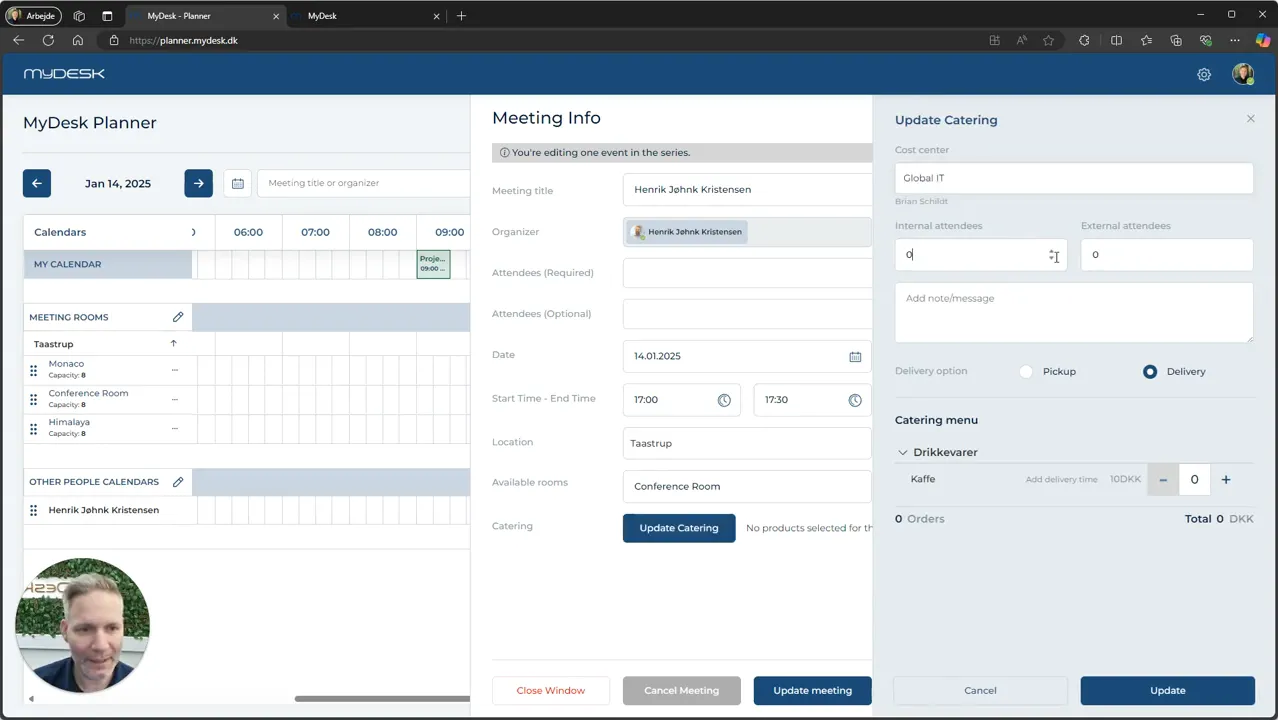
Select Update Catering and check the number of participants, products and message to the canteen.
Press Update to save the catering, then close the meeting window.
The product selection may be limited by the canteen's deadlines. An empty or locked menu is not necessarily an error in Planner.
Se den oprindelige video
Video og skærmbilleder kan vise en tidligere version af MyDesk.
See screenshots from the original guide (5)
Skærmbillederne stammer fra den tidligere guide og kan vise en ældre brugerflade.