Sådan gør du
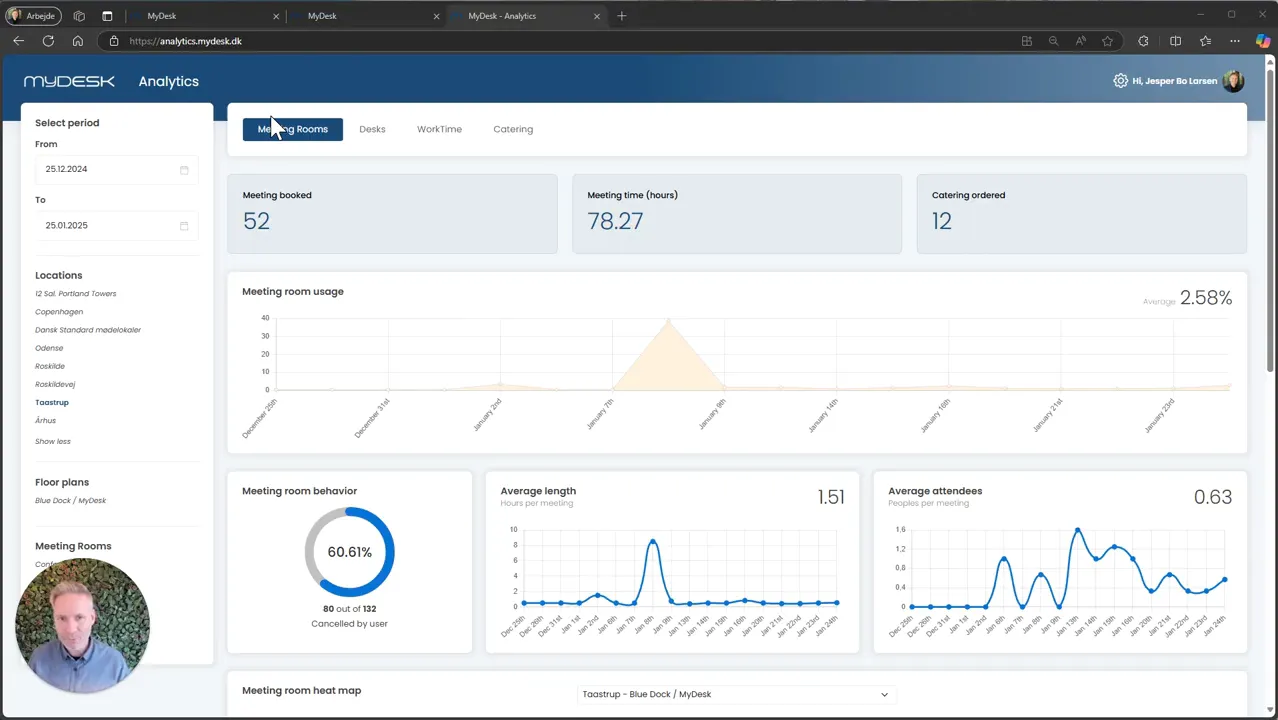
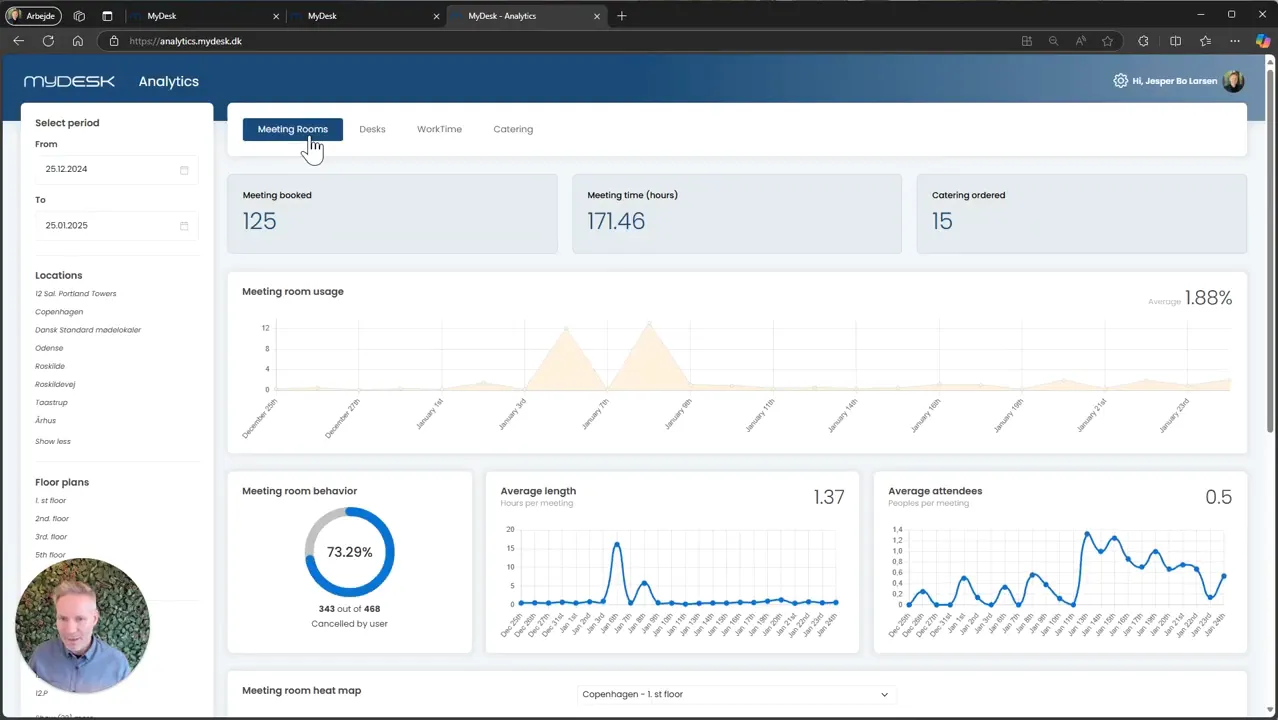
Log in to MyDesk Analytics and select the module you want to investigate.
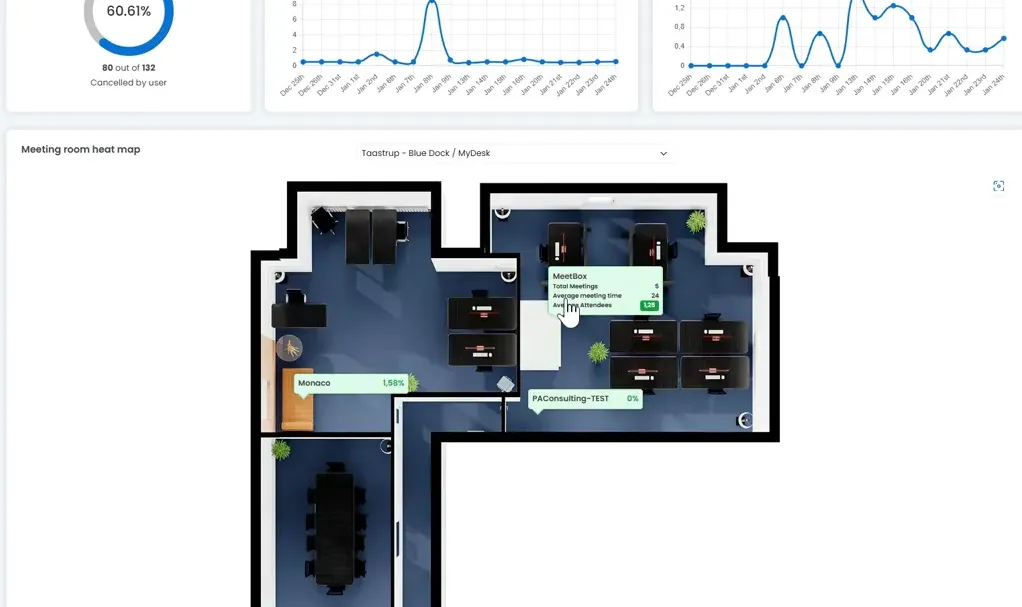
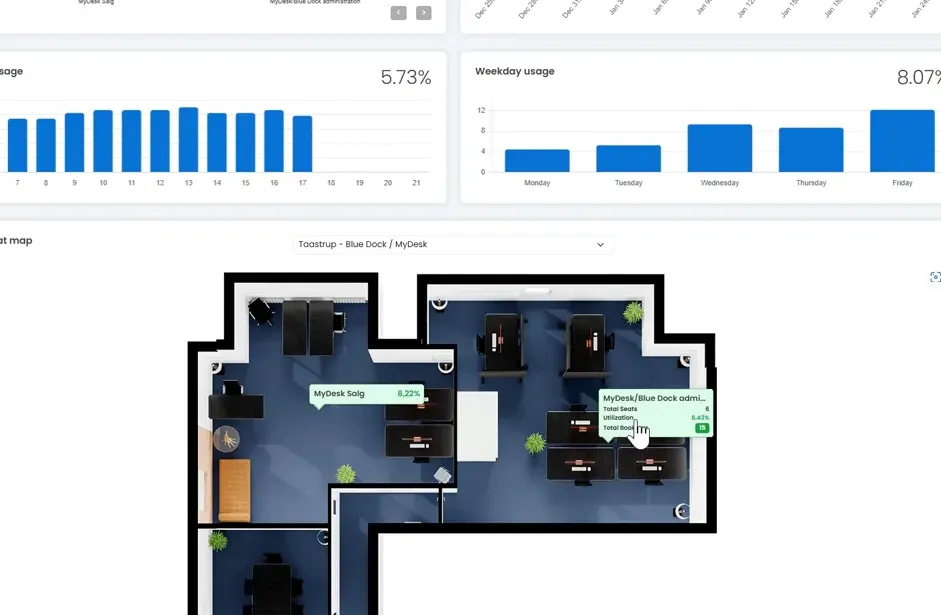
Select the period, location and area so that the comparison is based on the right sample.
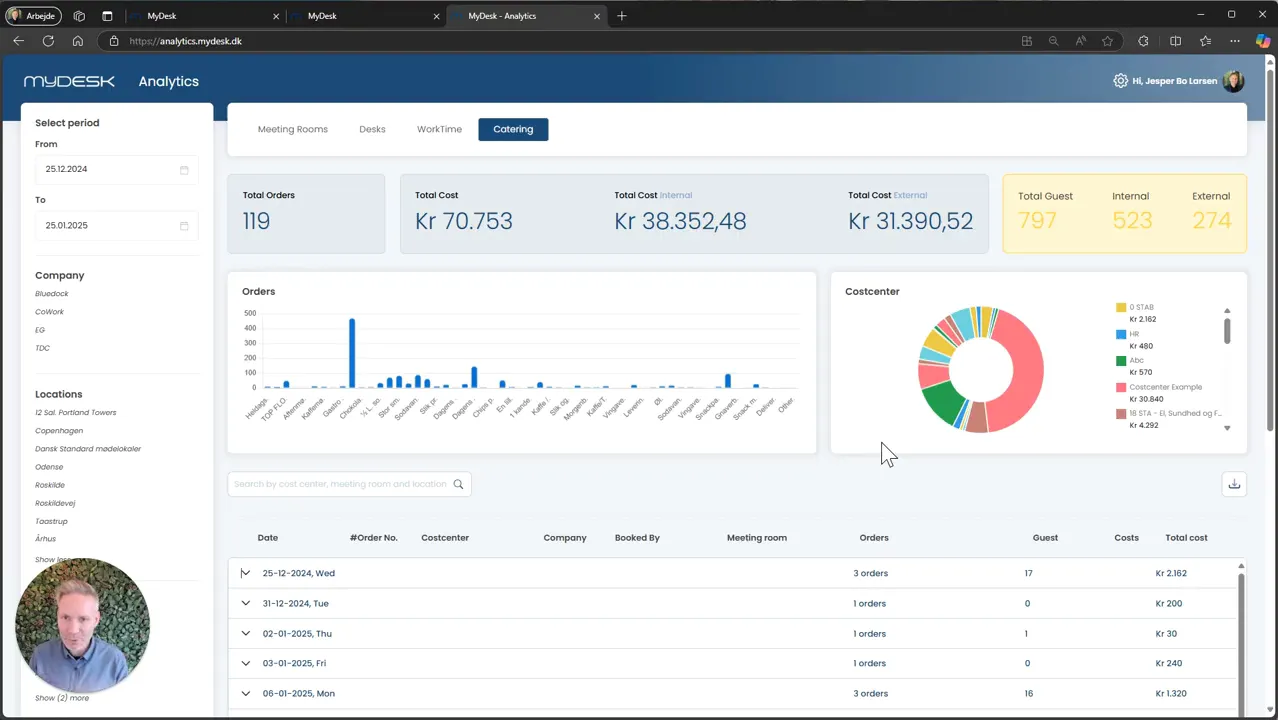
Investigate the use of desks and meeting rooms or catering orders and costs.
Export data if you need to work with it further in a report.
Keep reservations separate from measured activity, and clarify access and anonymization with your administrator.
Links og materialer
Se den oprindelige video
Video og skærmbilleder kan vise en tidligere version af MyDesk.
See screenshots from the original guide (5)
Skærmbillederne stammer fra den tidligere guide og kan vise en ældre brugerflade.