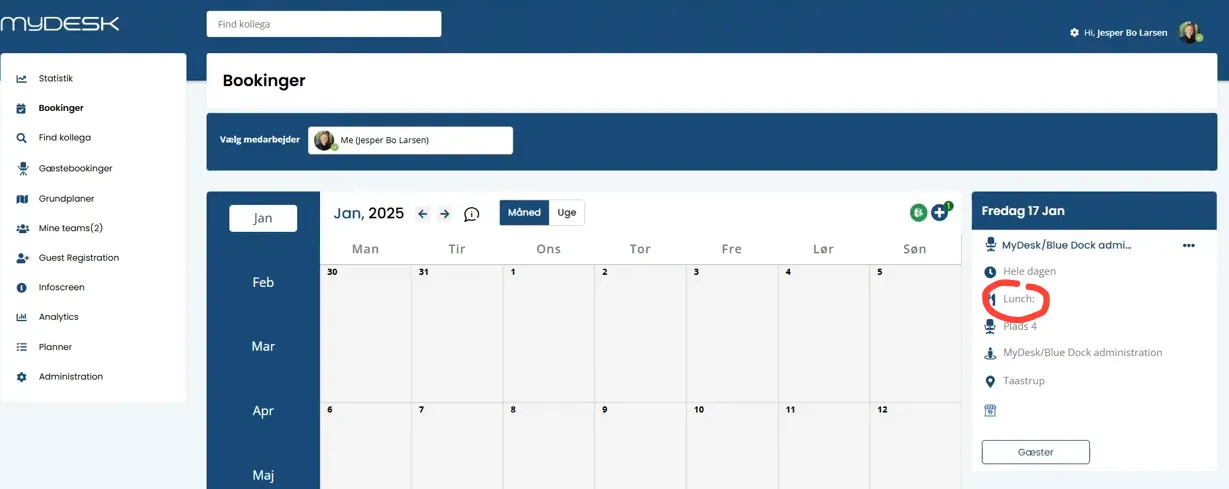
Sådan gør du
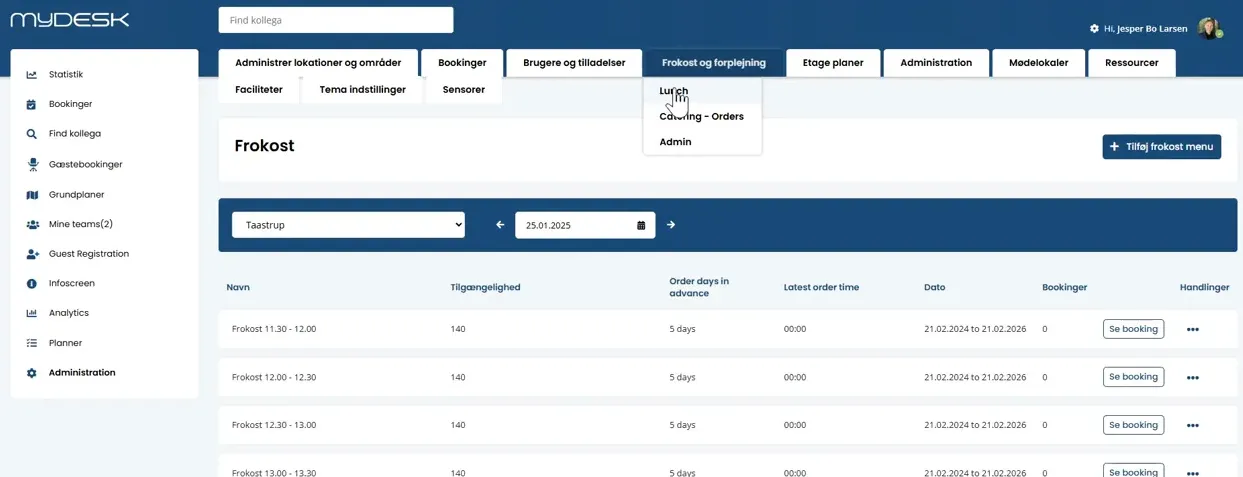
Open Administration and the lunch settings.
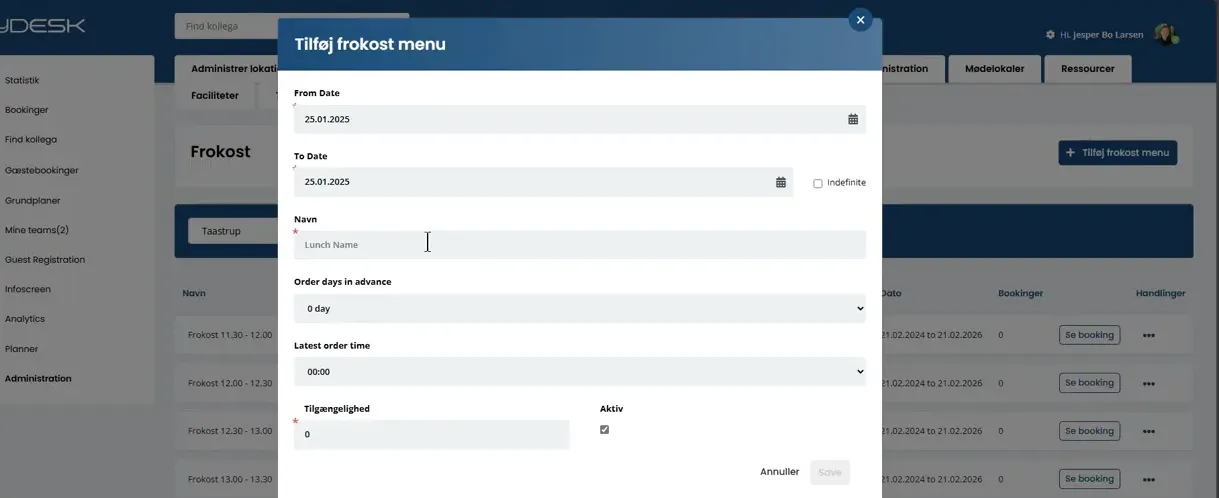
Create a menu with name, period, time frame and order deadline. If necessary, specify a maximum number of registrations.
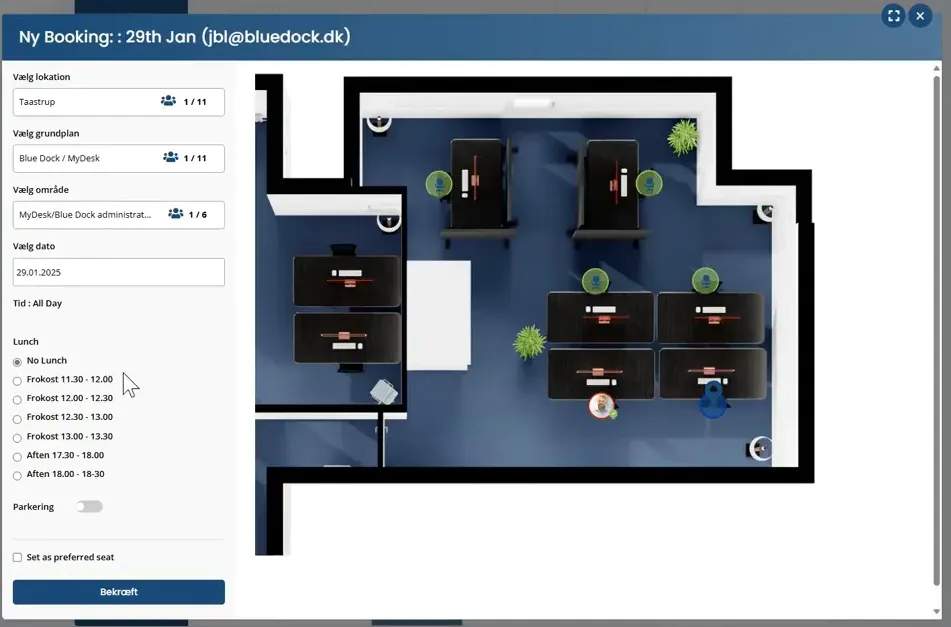
Activate the menu so employees can select it in the booking flow.
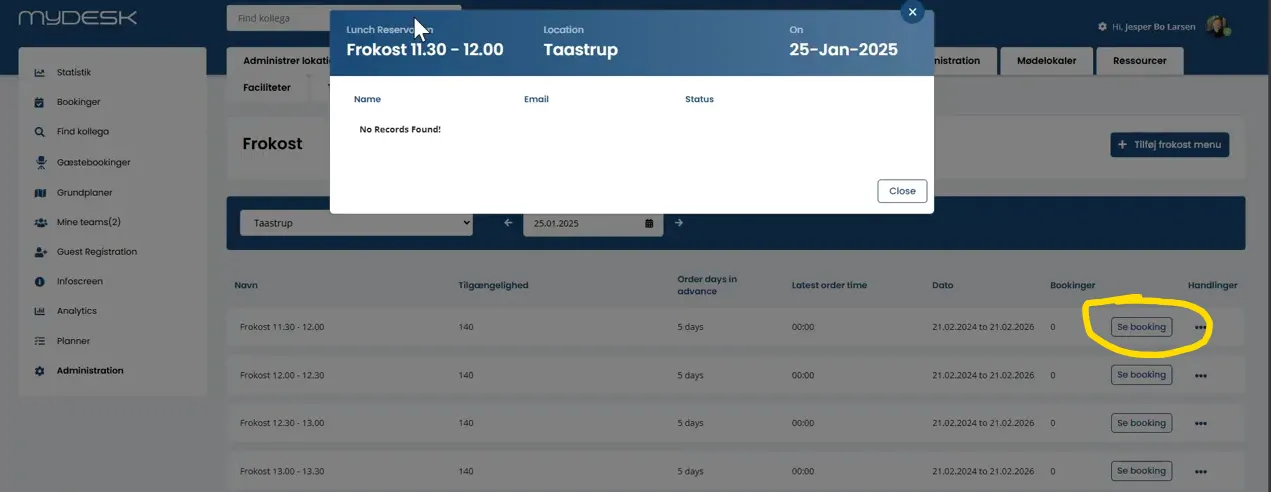
Follow the registrations in the booking overview or the catering administration.
Check existing registrations when a menu or the employee's booking changes.
Se den oprindelige video
Video og skærmbilleder kan vise en tidligere version af MyDesk.
See screenshots from the original guide (5)
Skærmbillederne stammer fra den tidligere guide og kan vise en ældre brugerflade.