Sådan gør du
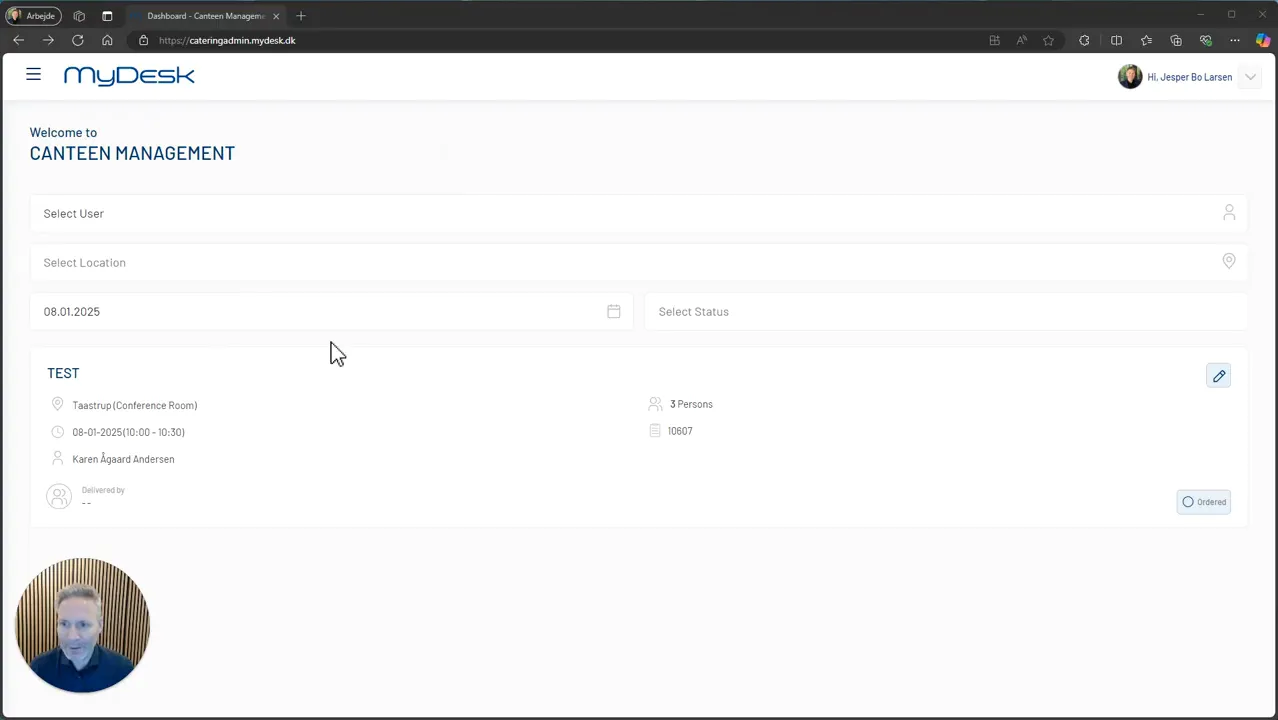
Open the catering administration and find the relevant order of the day.
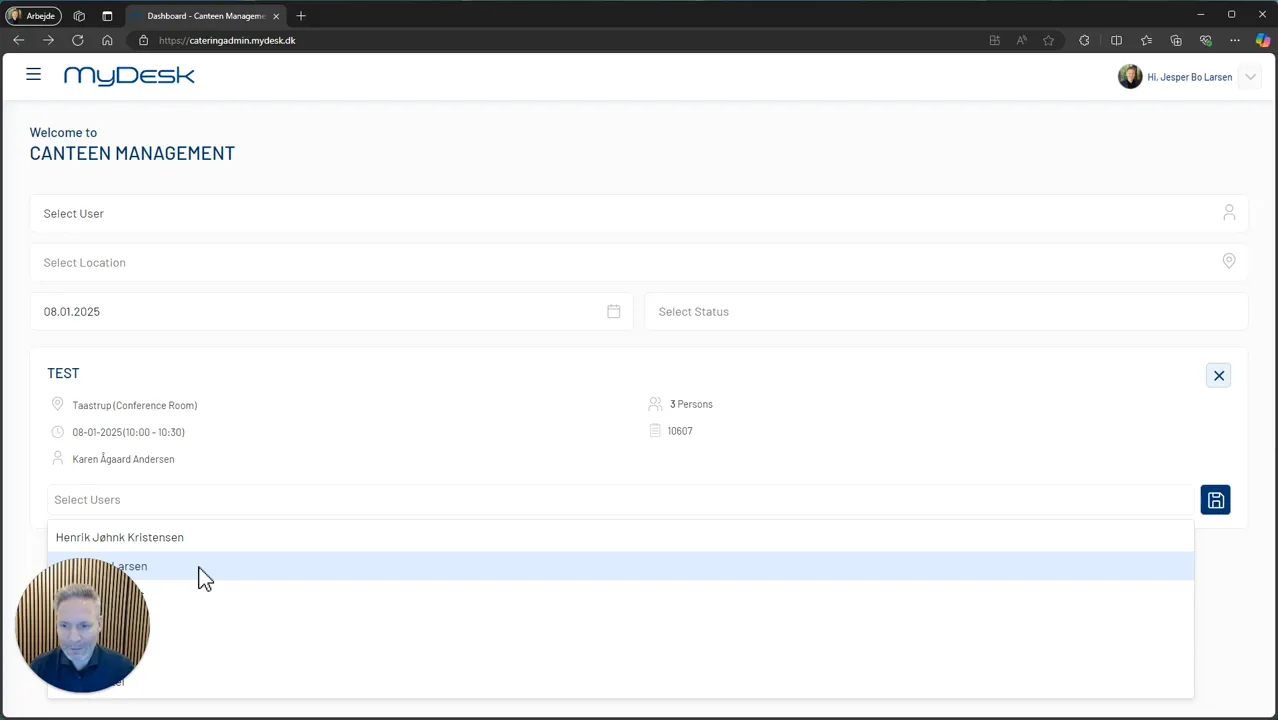
Press the pencil on delivery.
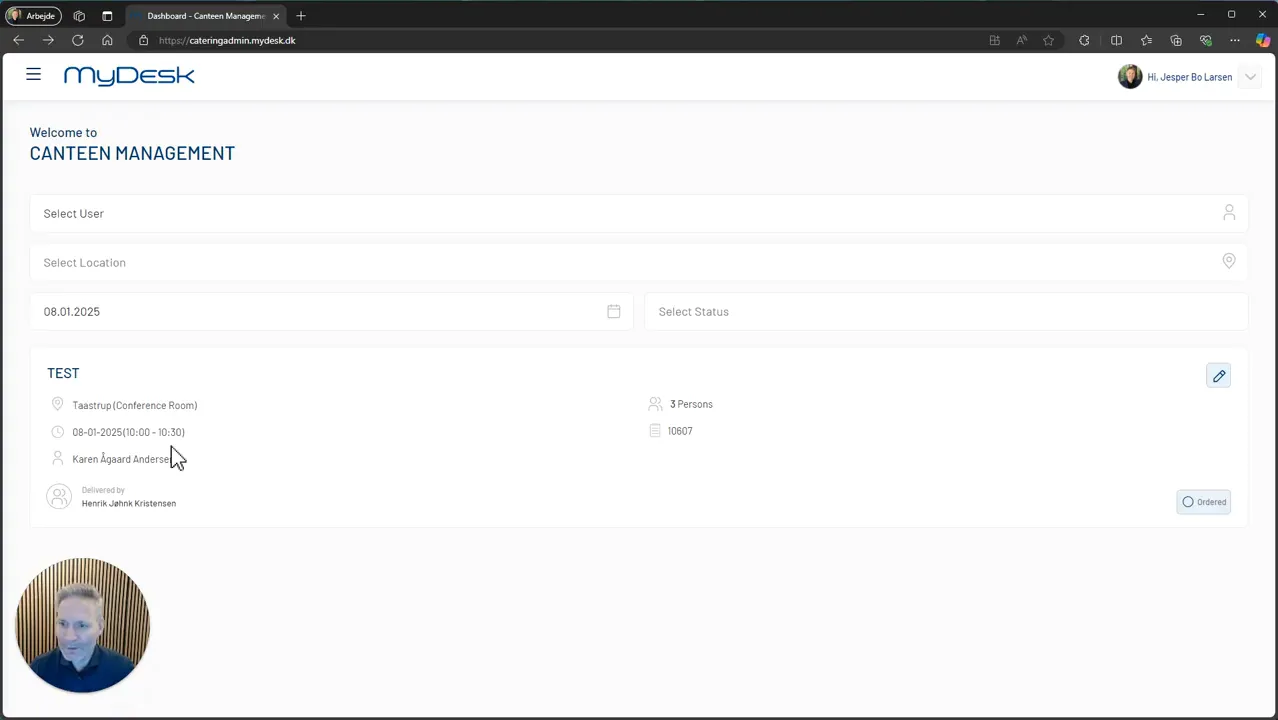
Select the employee to deliver and save the assignment.
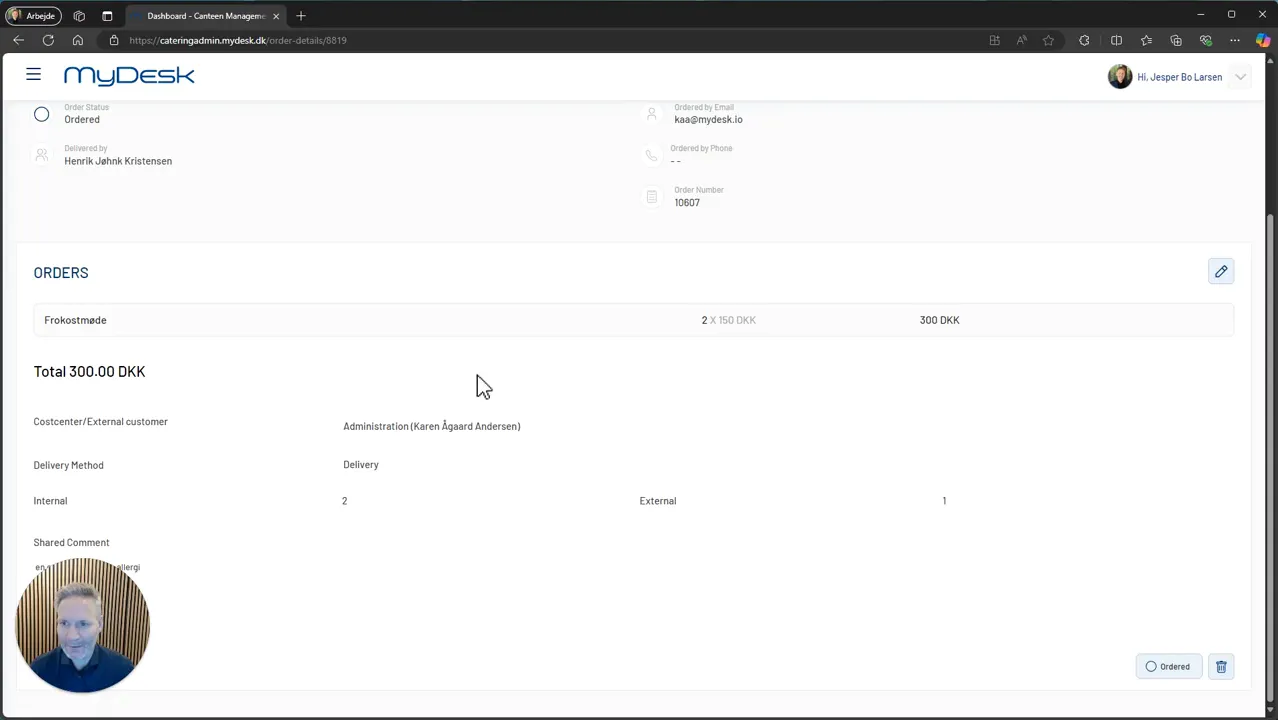
Check that the employee can see the task on their own overview on mobile or desktop.
Links og materialer
Se den oprindelige video
Video og skærmbilleder kan vise en tidligere version af MyDesk.
See screenshots from the original guide (4)
Skærmbillederne stammer fra den tidligere guide og kan vise en ældre brugerflade.