Sådan gør du
Meeting room booking reads calendar information from Microsoft; desk bookings are created and stored in MyDesk.
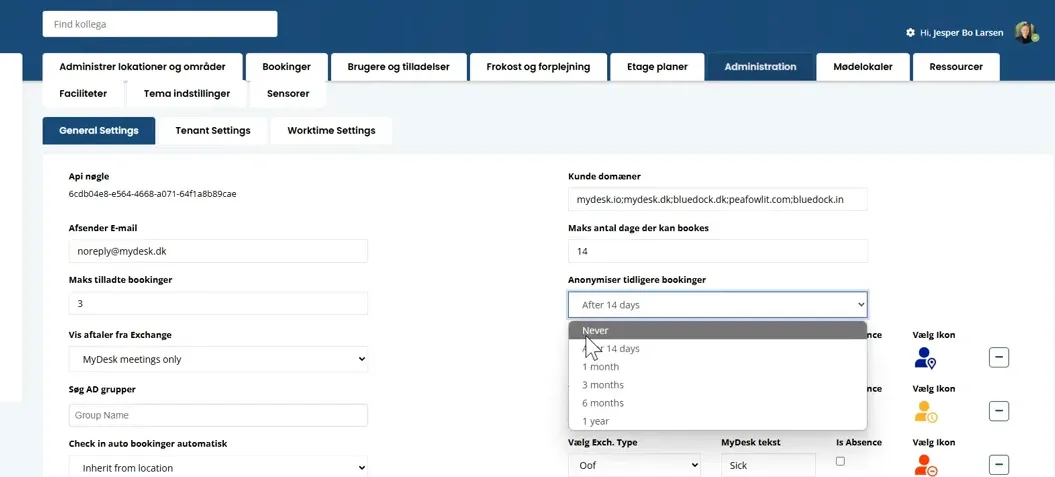
As an administrator, you will find the anonymization setting under Administration and General settings.
Choose the storage period according to your agreement and needs. The original guide described 14 days as standard; check the actual setup.
After anonymisation, usage data can still be included in analysis without showing the individual user.
Use the Security Center and your data processing agreement to clarify current hosting, modules and storage.
Se den oprindelige video
Video og skærmbilleder kan vise en tidligere version af MyDesk.
See screenshots from the original guide (1)
Skærmbillederne stammer fra den tidligere guide og kan vise en ældre brugerflade.