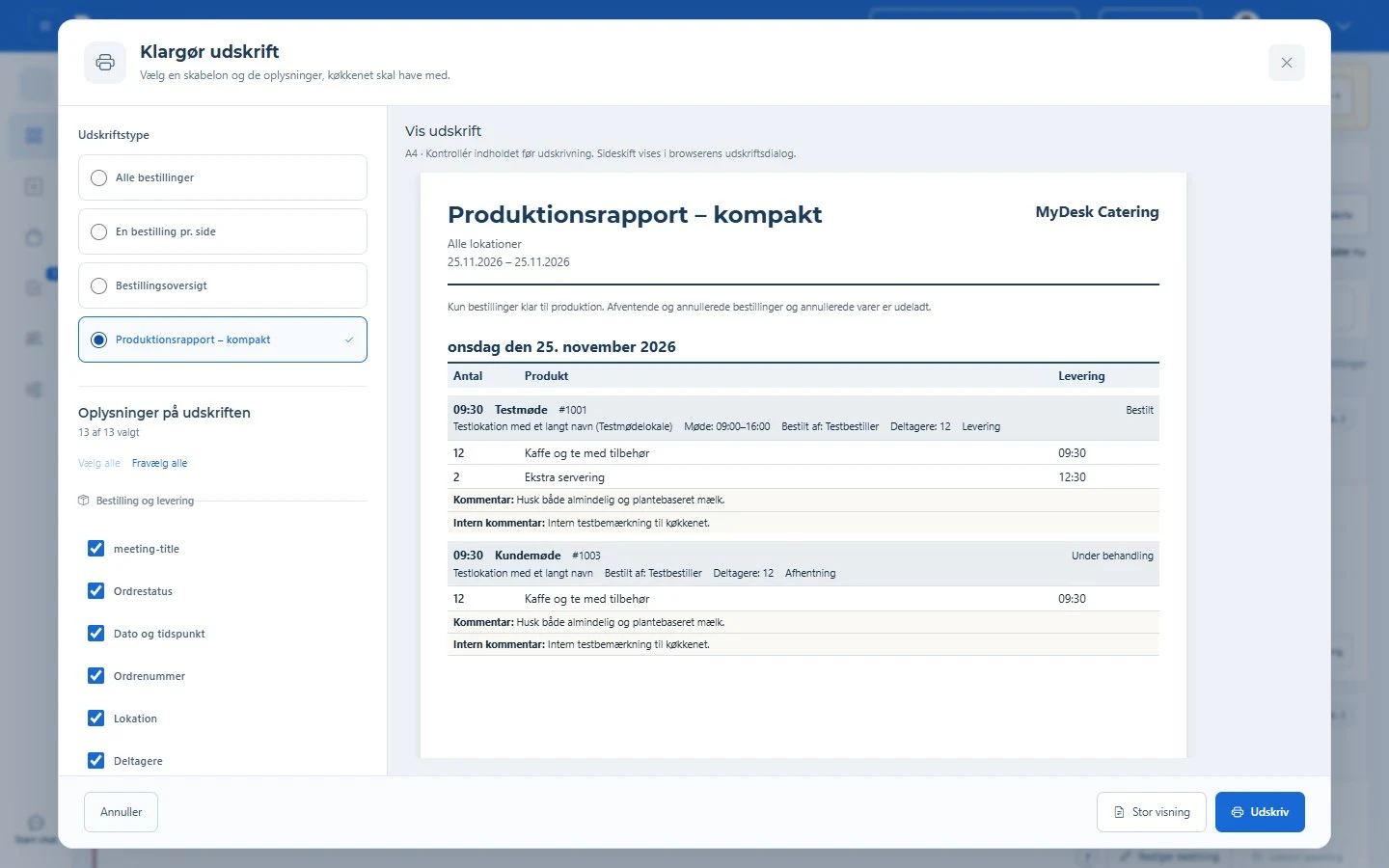
MyDesk Catering has received a compact production report that collects the orders the kitchen must prepare. See quantity and products together with delivery time and the information the kitchen needs.
From order summary to A4
Go to Overview → Orders → Print, and select Production report – compact. The report follows the filters in the order overview. You choose which information to include and can check the preview before printing or saving as a PDF.
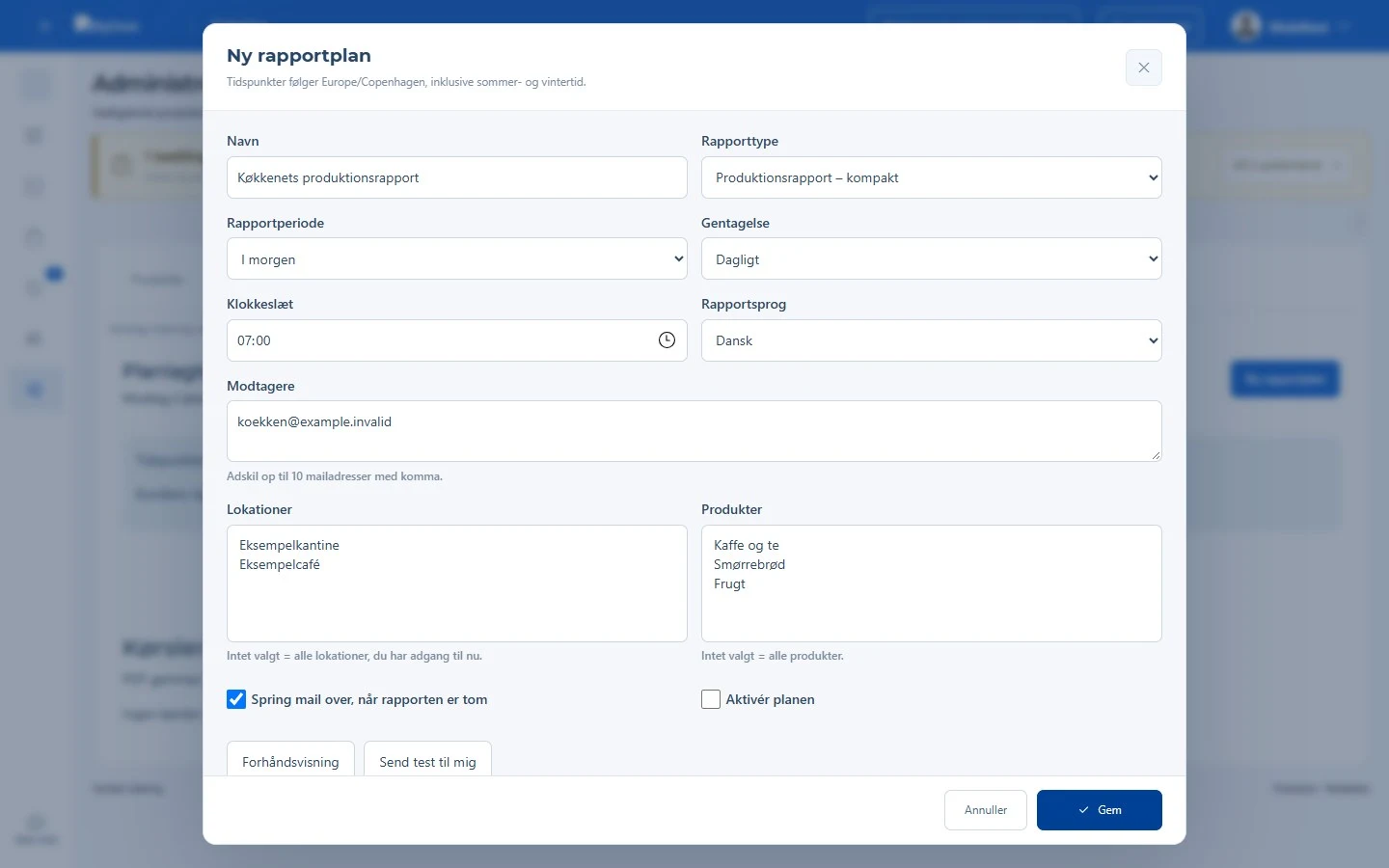
Get the reports as PDF by email
Under Manage catering → Scheduled reports you can choose the report type, period, recipients and the locations and products to be included. Choose daily, weekly or monthly recurrence and view the report in the preview before activating the plan. You can also choose to skip the email if the report is empty.