This is how you do it
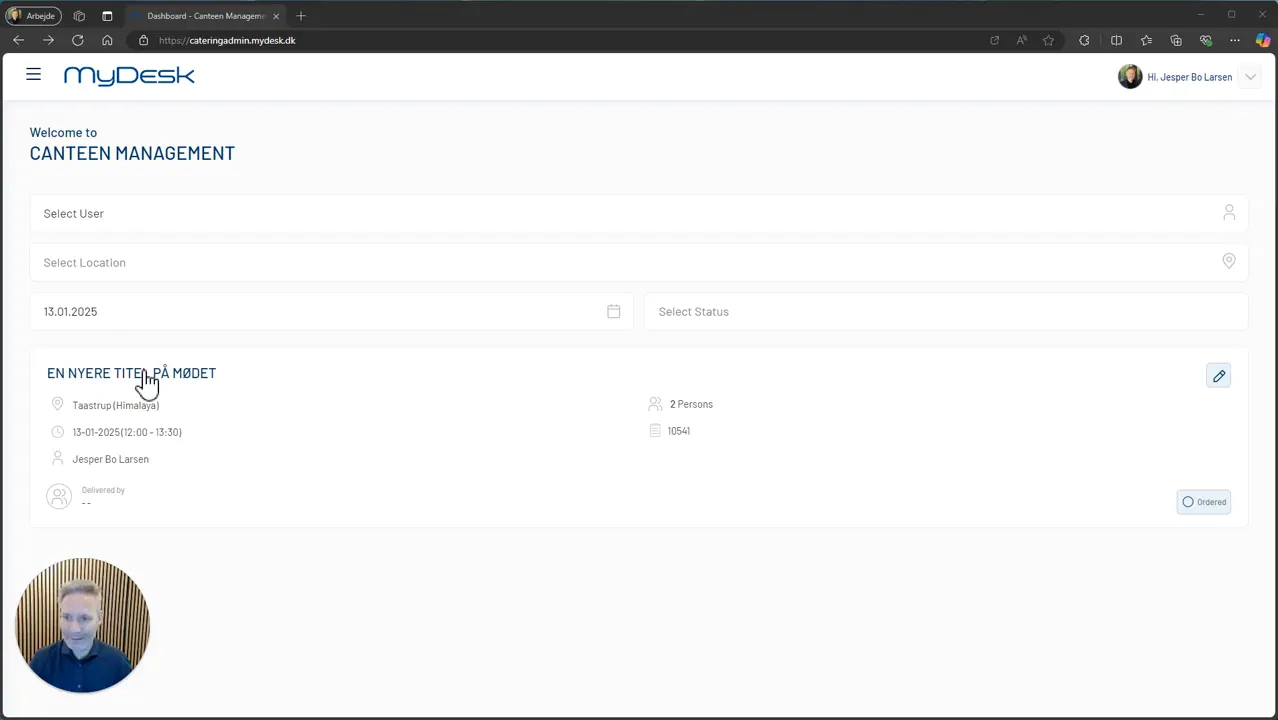
Open the relevant order in the catering administration.
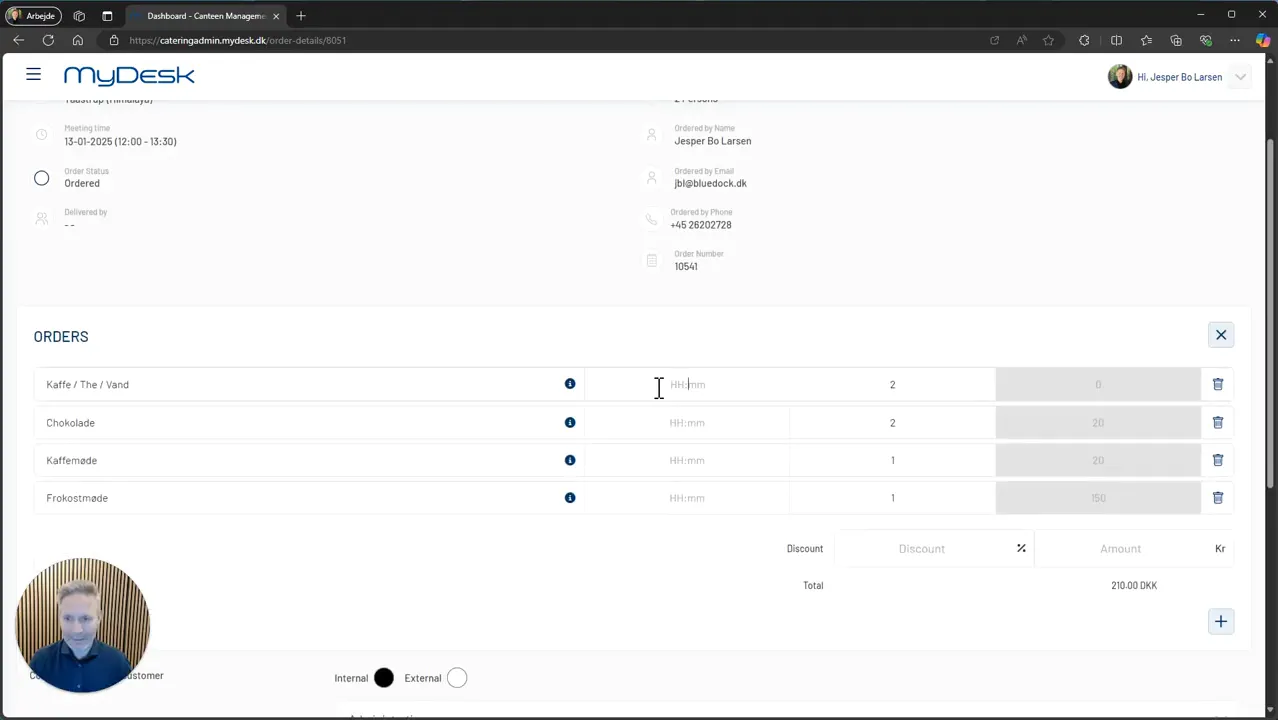
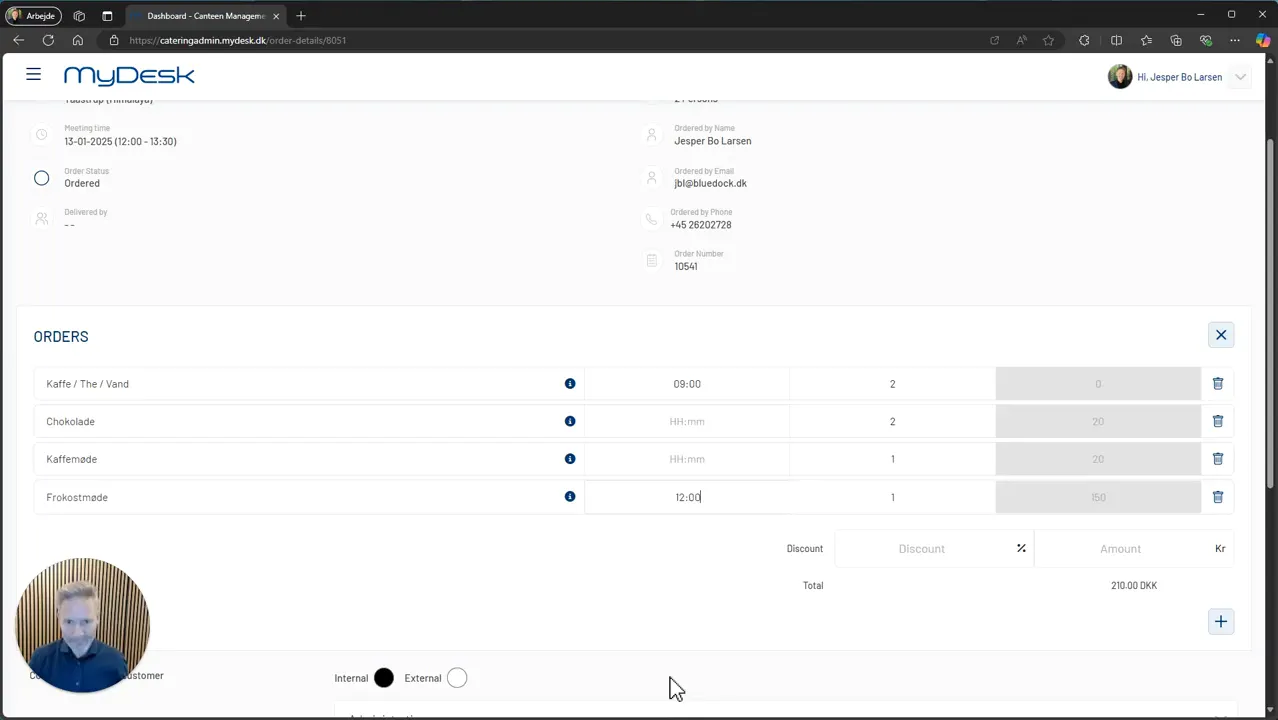
Specify the delivery time for each product to be delivered separately.
Save the changes.
Check the times in the order overview and on the order, so that kitchen and orderer work with the same delivery schedule.
See screenshots from the original guide (3)
The screenshots are from the previous guide and may show an older user interface.