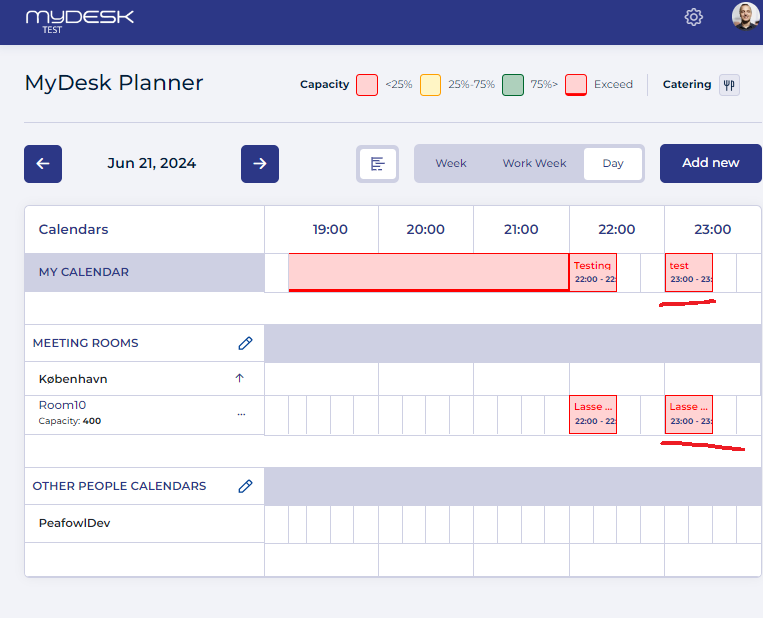
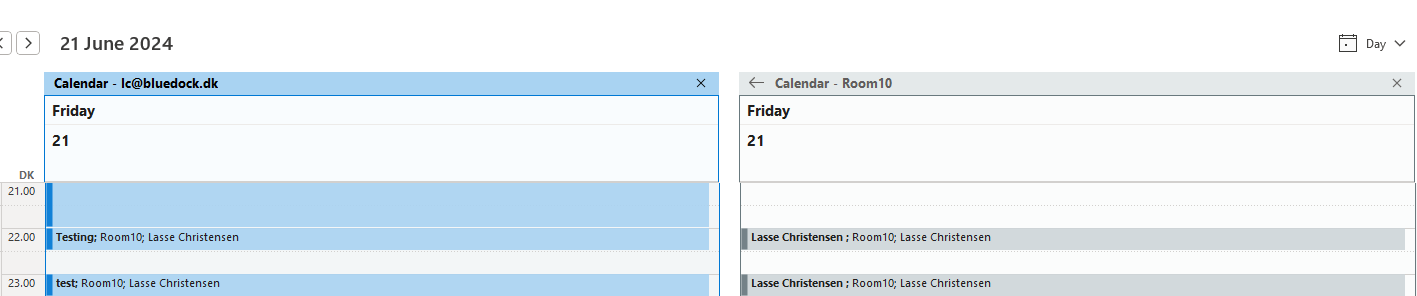
This is how you do it
Compare the meeting in your own calendar with the same meeting in the room's Exchange calendar.
If the difference is also seen in Exchange, the IT department must review the room's calendar processing.
The original guide mentions AddOrganizerToSubject and DeleteSubject. Clarify privacy and viewing before changing them.
Afterwards, check a new meeting in both Exchange and Planner.
See screenshots from the original guide (2)
The screenshots are from the previous guide and may show an older user interface.