This is how you do it
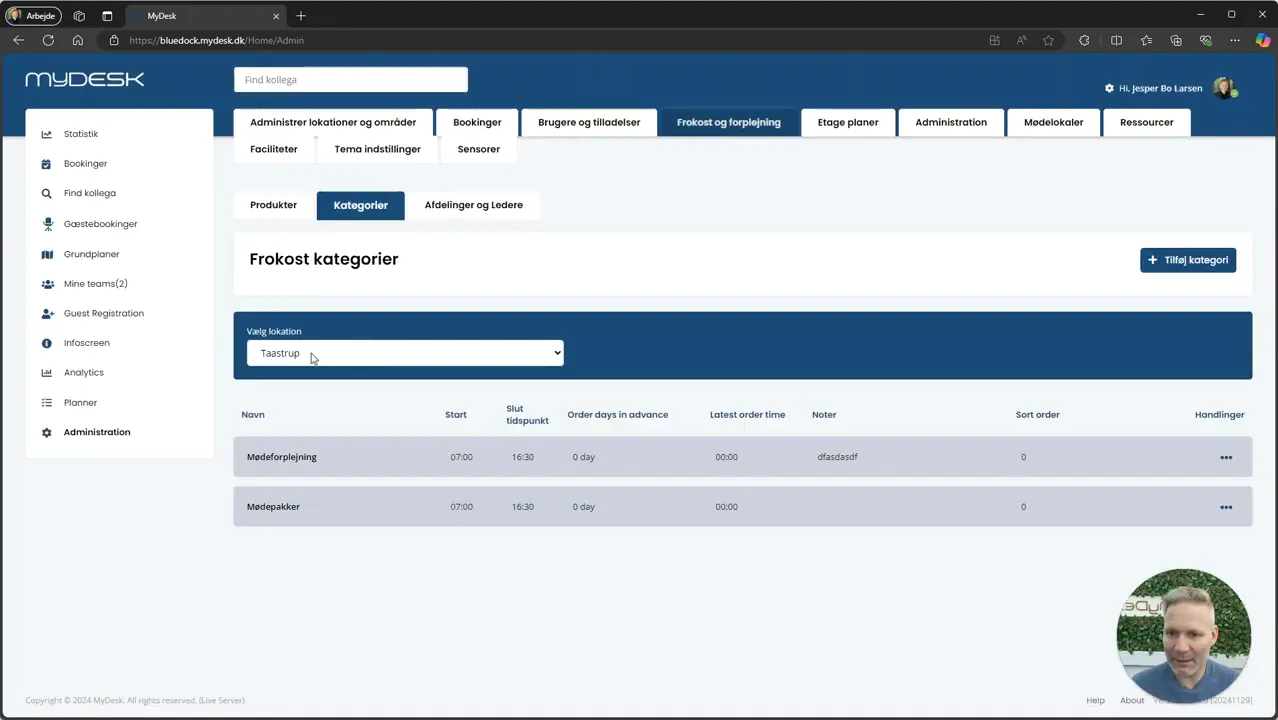
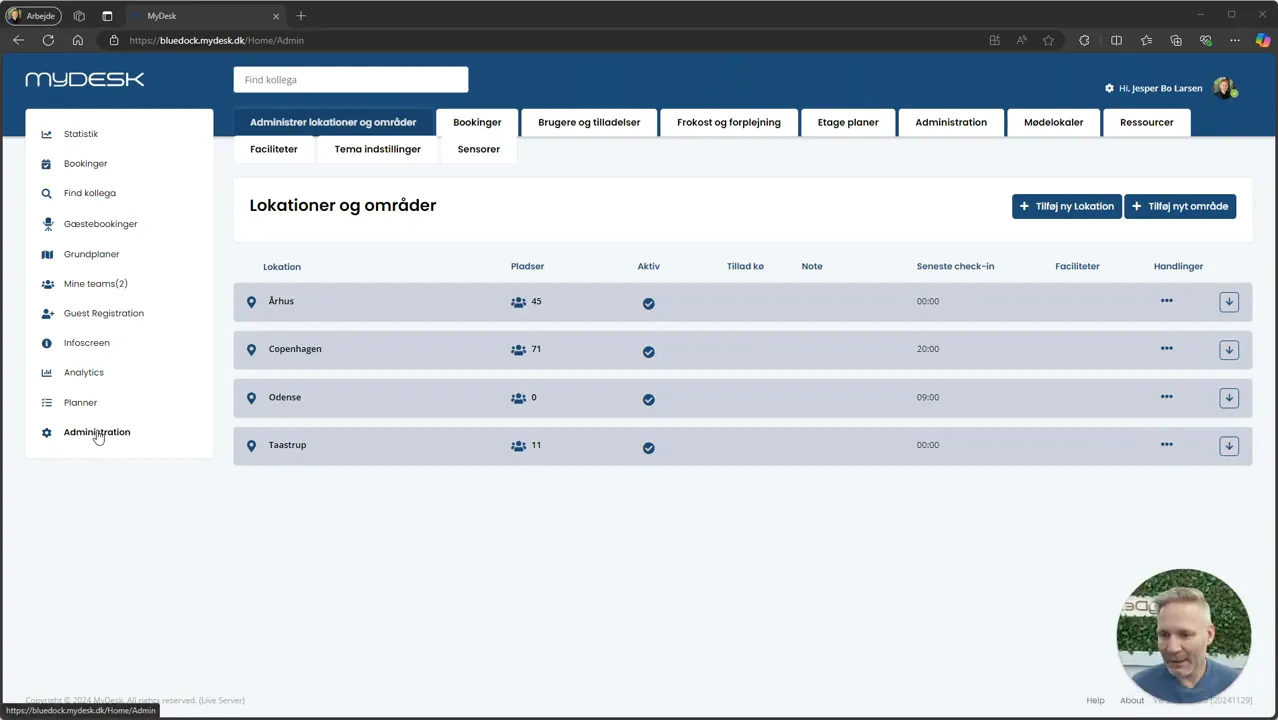
Open Administration, Lunch and catering and Admin.
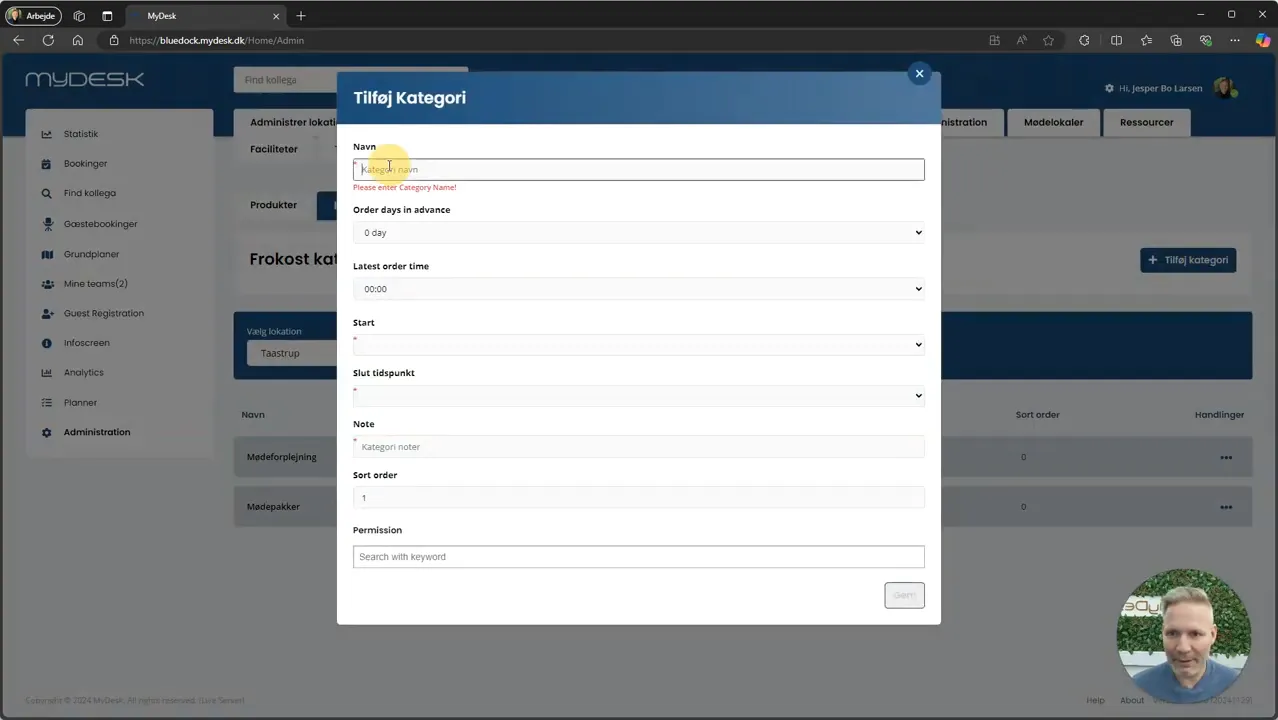
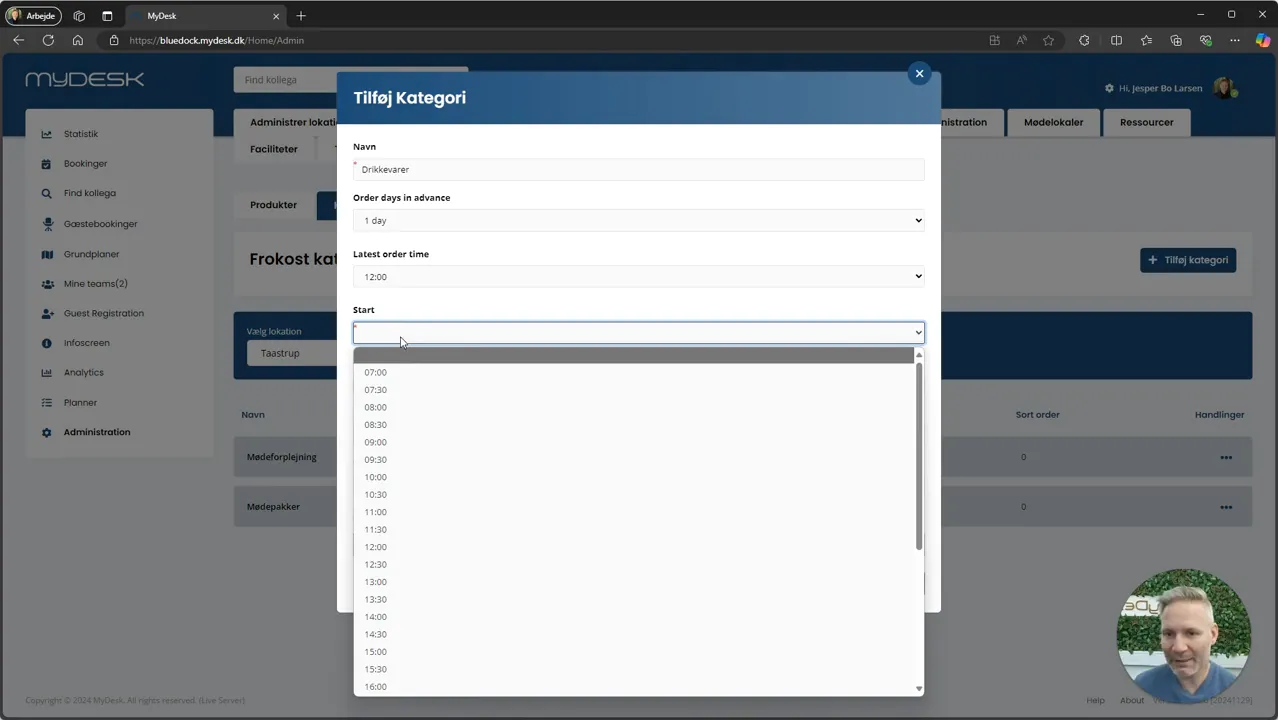
Select the location under Categories. Create or edit a category with name, order deadline and availability period. Save.
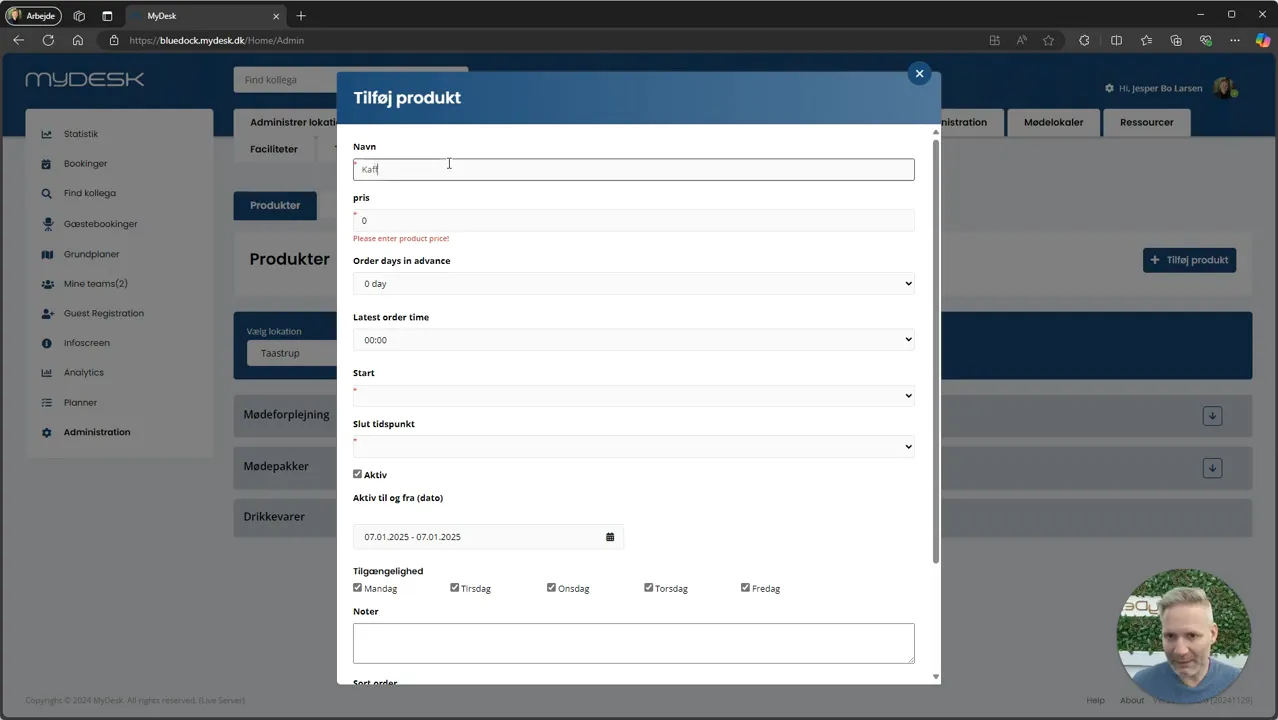
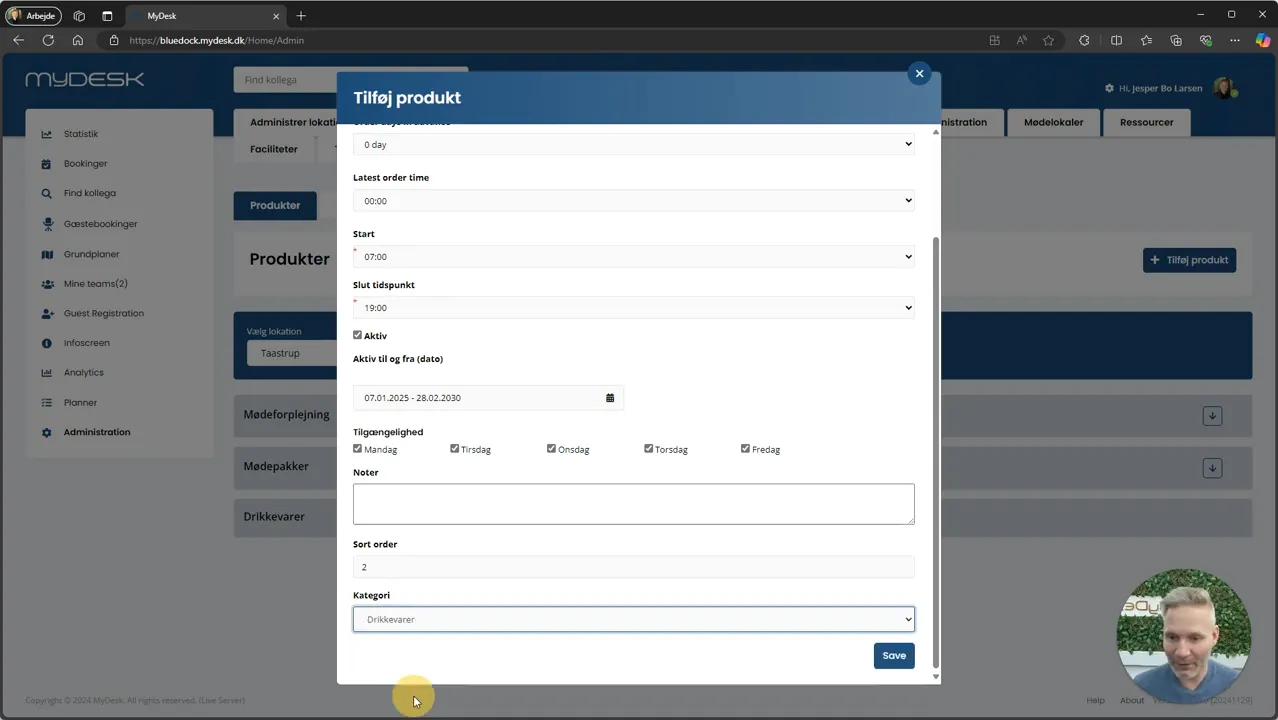
Open Products in the same location and select Add Product. Enter name, price and category.
Check the settings the product inherits from the category. Specify your own periods or days of the week if the product is only available for a limited time.
Save and check the product in the order view with a date both within and outside the selected period.
Links and materials
See screenshots from the original guide (6)
The screenshots are from the previous guide and may show an older user interface.