This is how you do it
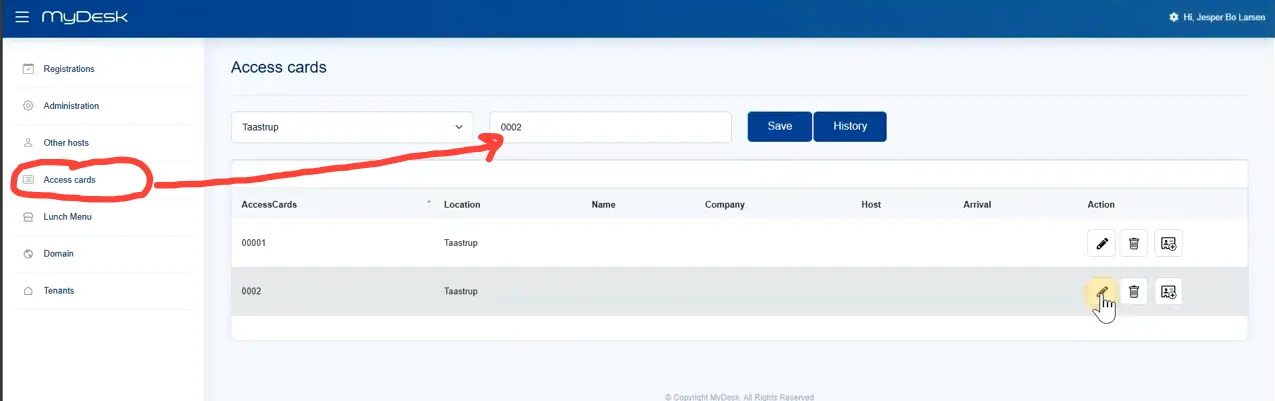
Create the cards with their ID in the administration before the reception takes them into use.
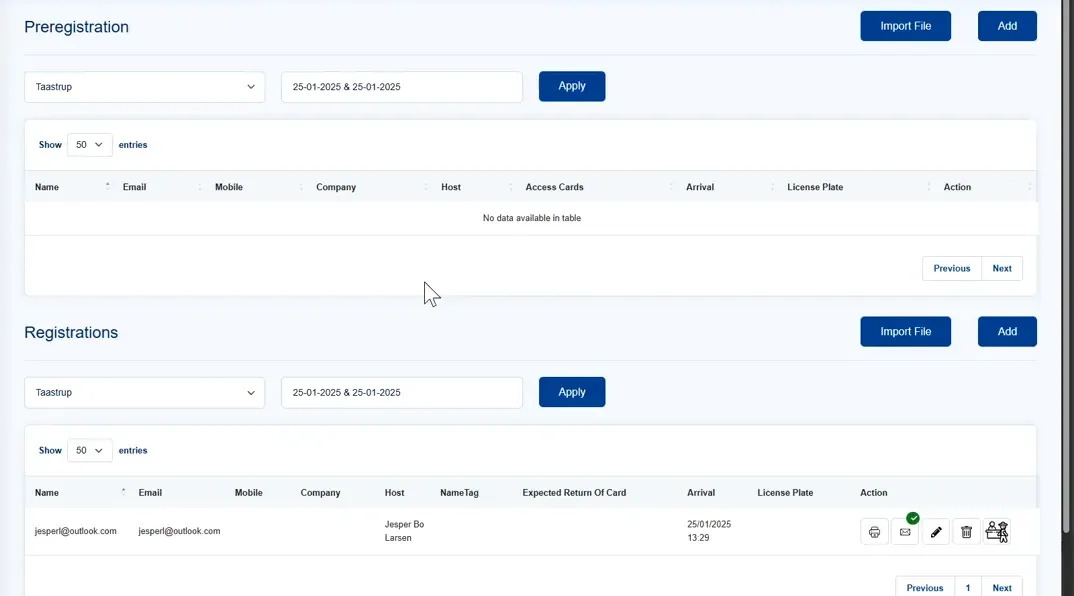
Check in the guest, open the registration and select the card issued.
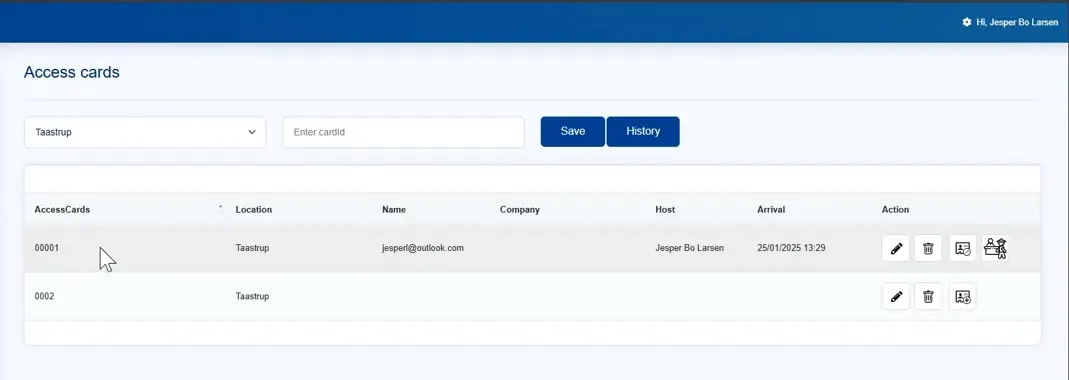
Enter any return deadline and save. Check that the correct card is on the guest's registration.
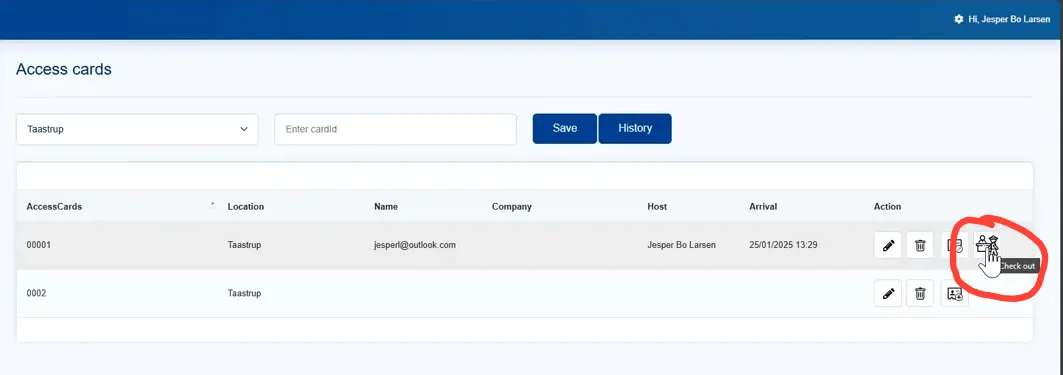
Register the return on departure from the visit or guest profile.
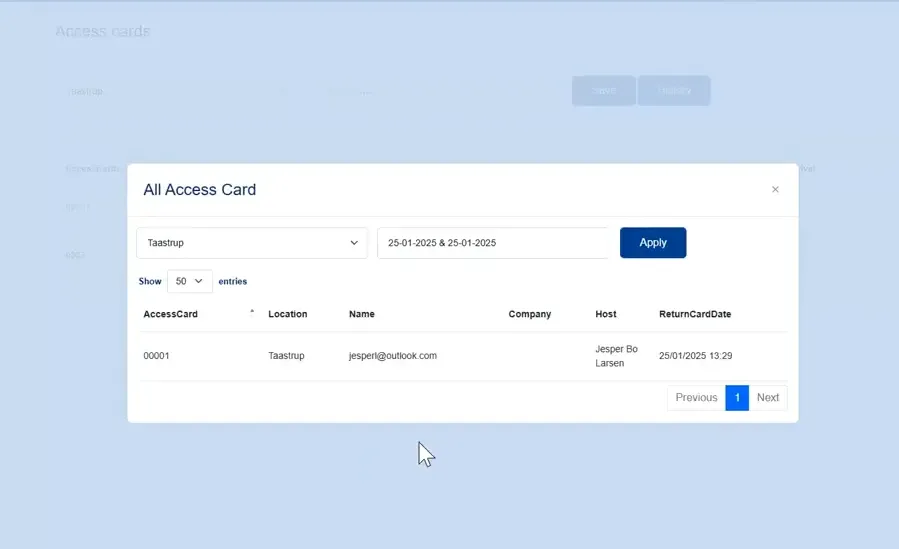
Use the card's history to track delivery and return. A registered guest card only gives physical access if your access system and agreement support it.
See screenshots from the original guide (5)
The screenshots are from the previous guide and may show an older user interface.