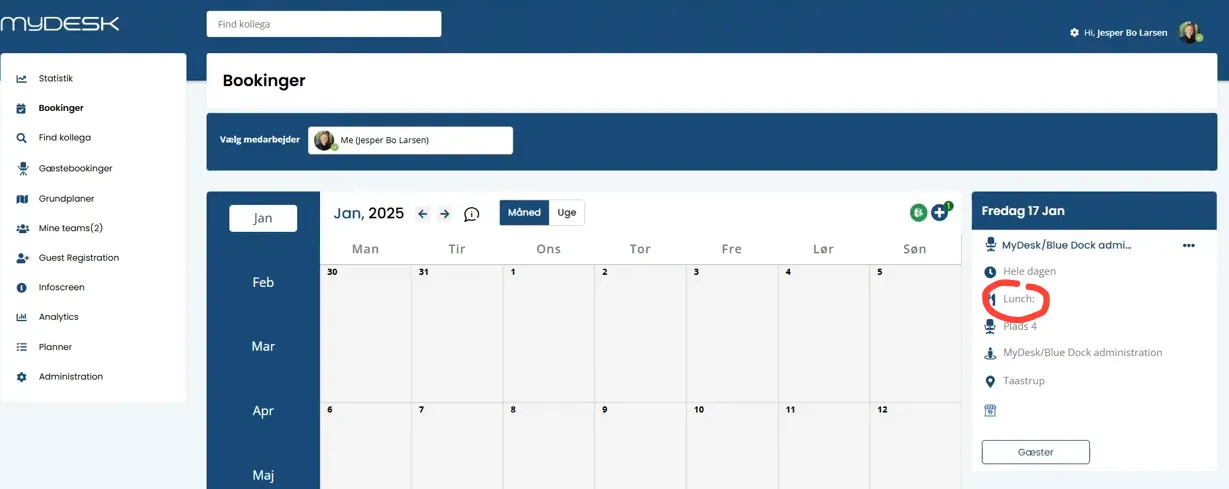
This is how you do it
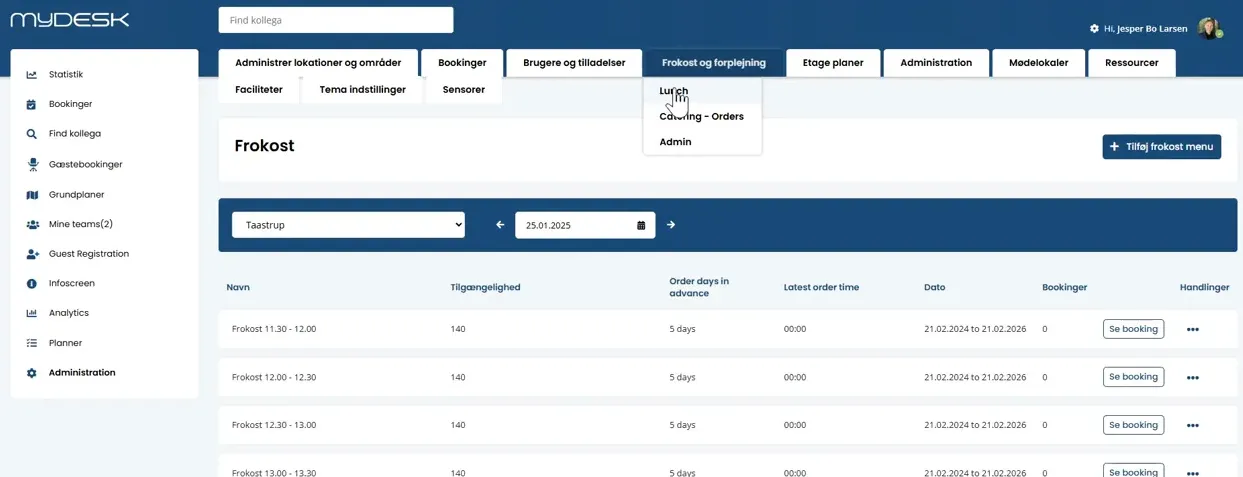
Open Administration and the lunch settings.
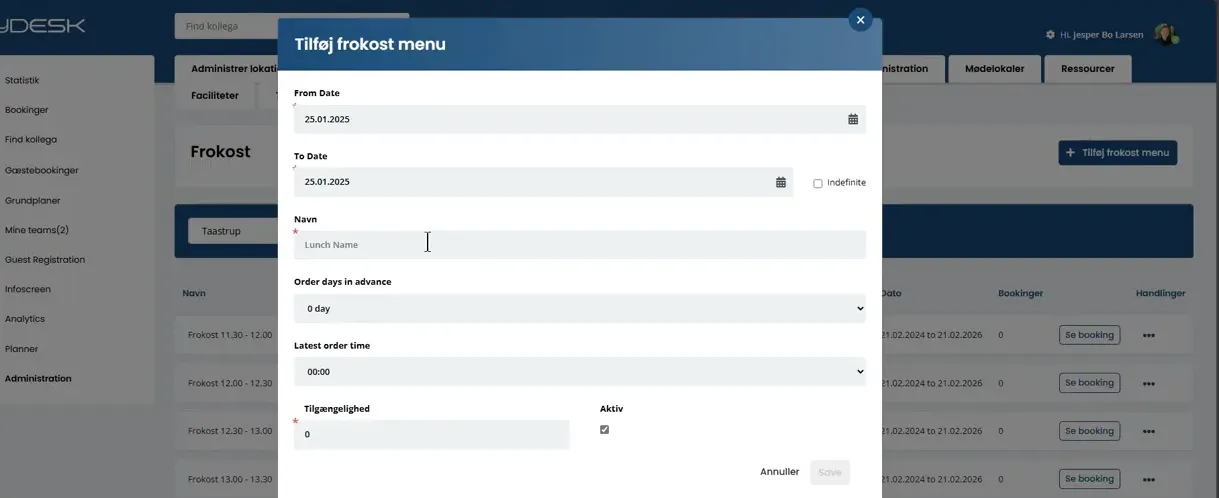
Create a menu with name, period, time frame and order deadline. If necessary, specify a maximum number of registrations.
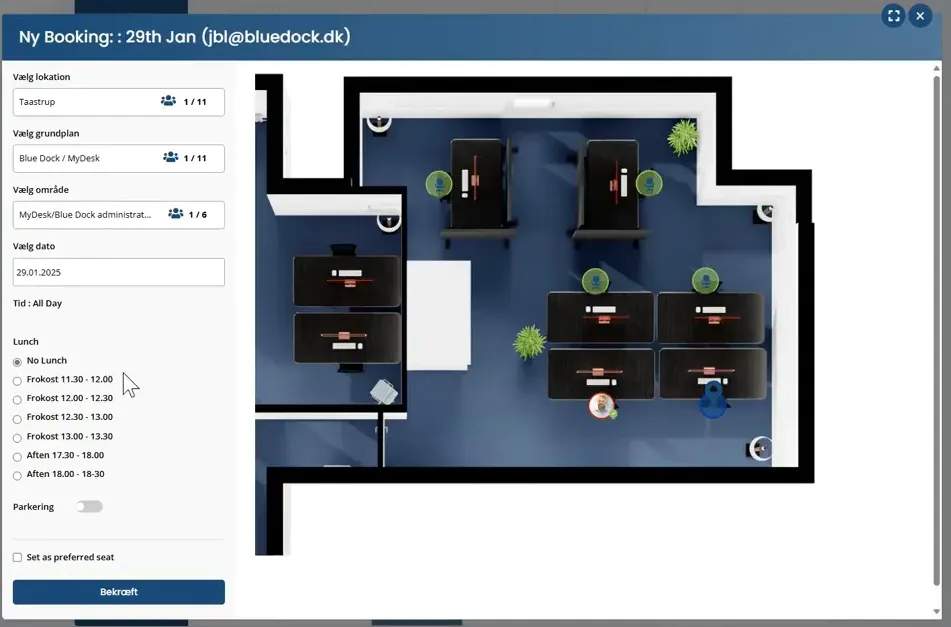
Activate the menu so employees can select it in the booking flow.
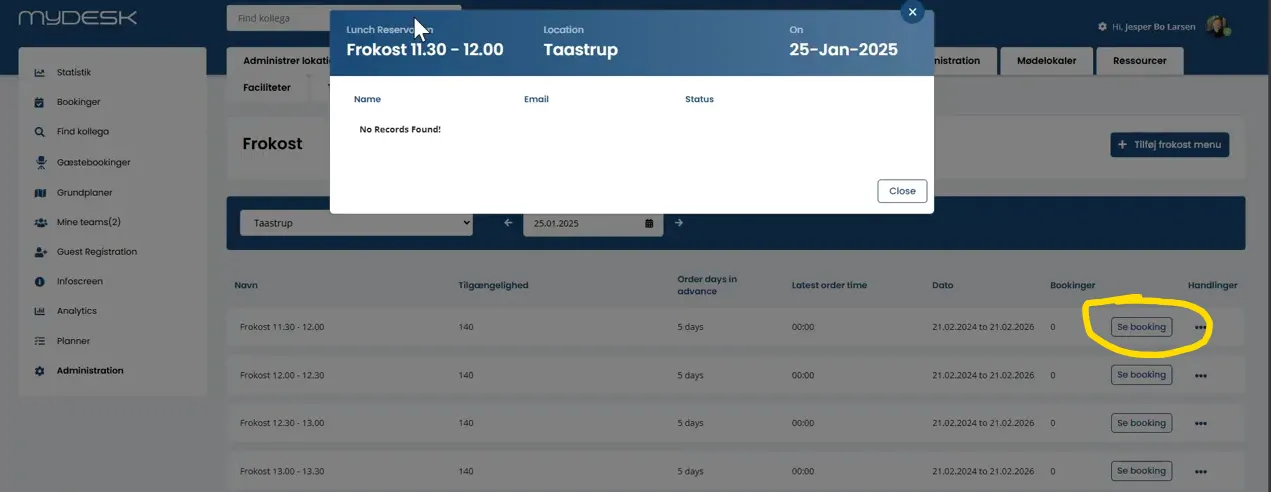
Follow the registrations in the booking overview or the catering administration.
Check existing registrations when a menu or the employee's booking changes.
See screenshots from the original guide (5)
The screenshots are from the previous guide and may show an older user interface.