This is how you do it
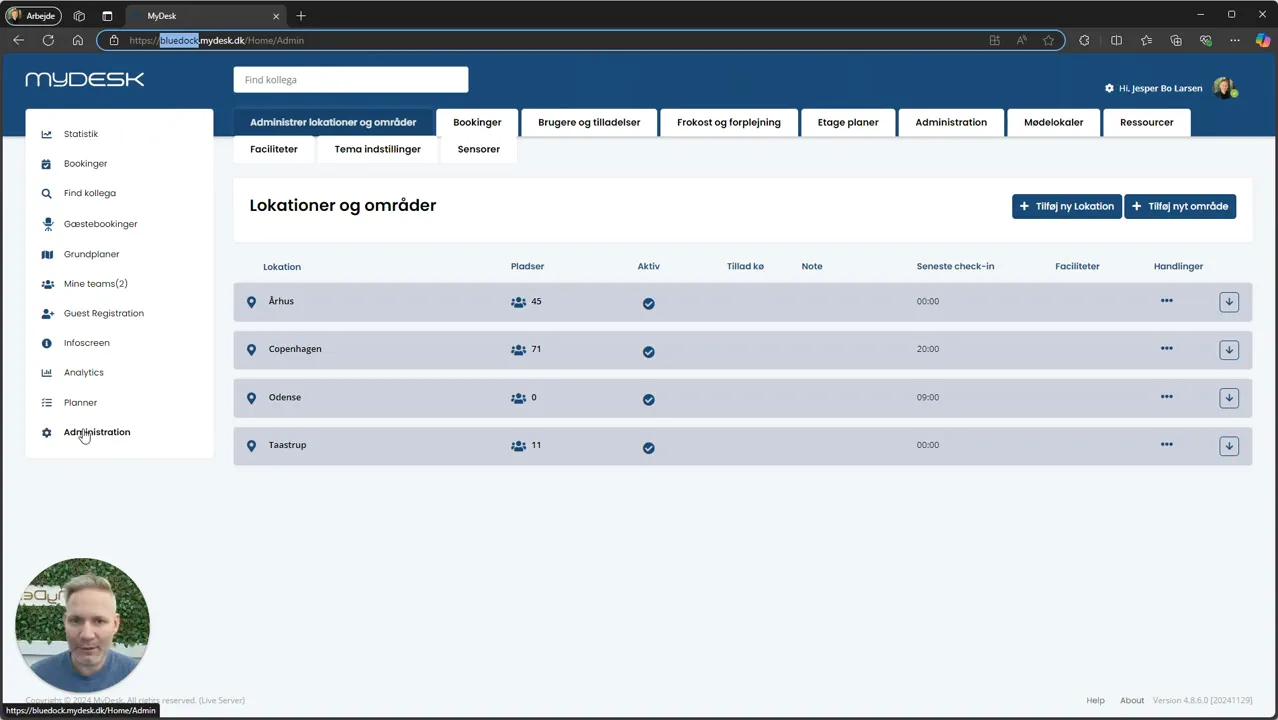
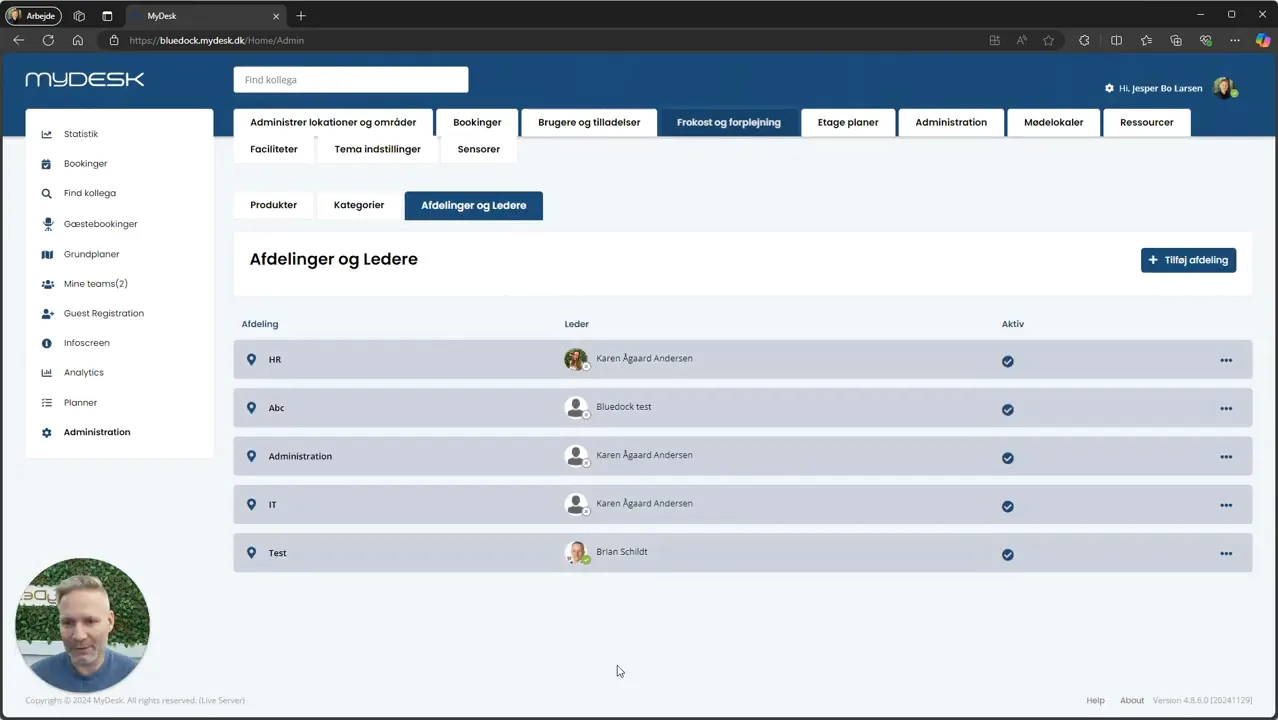
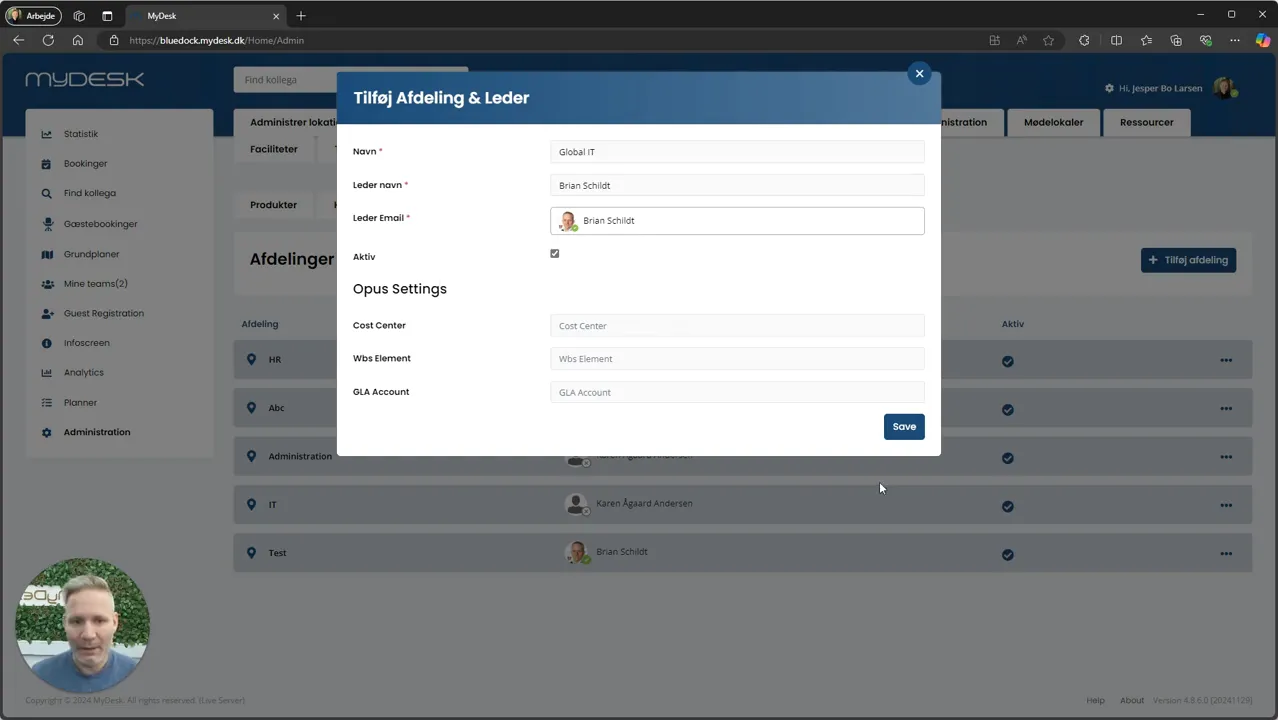
Open Administration, Lunch and Catering and Admin, and select Departments and Managers.
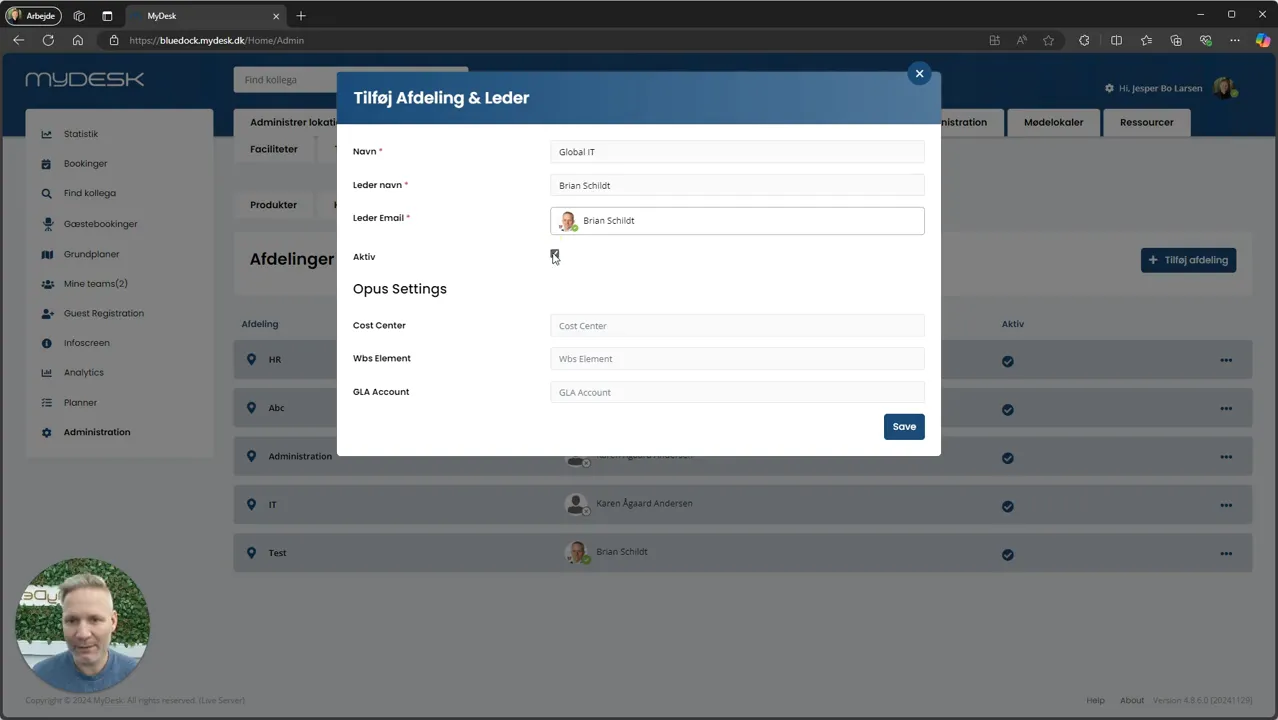
Select Add department and enter a distinct dining center name.
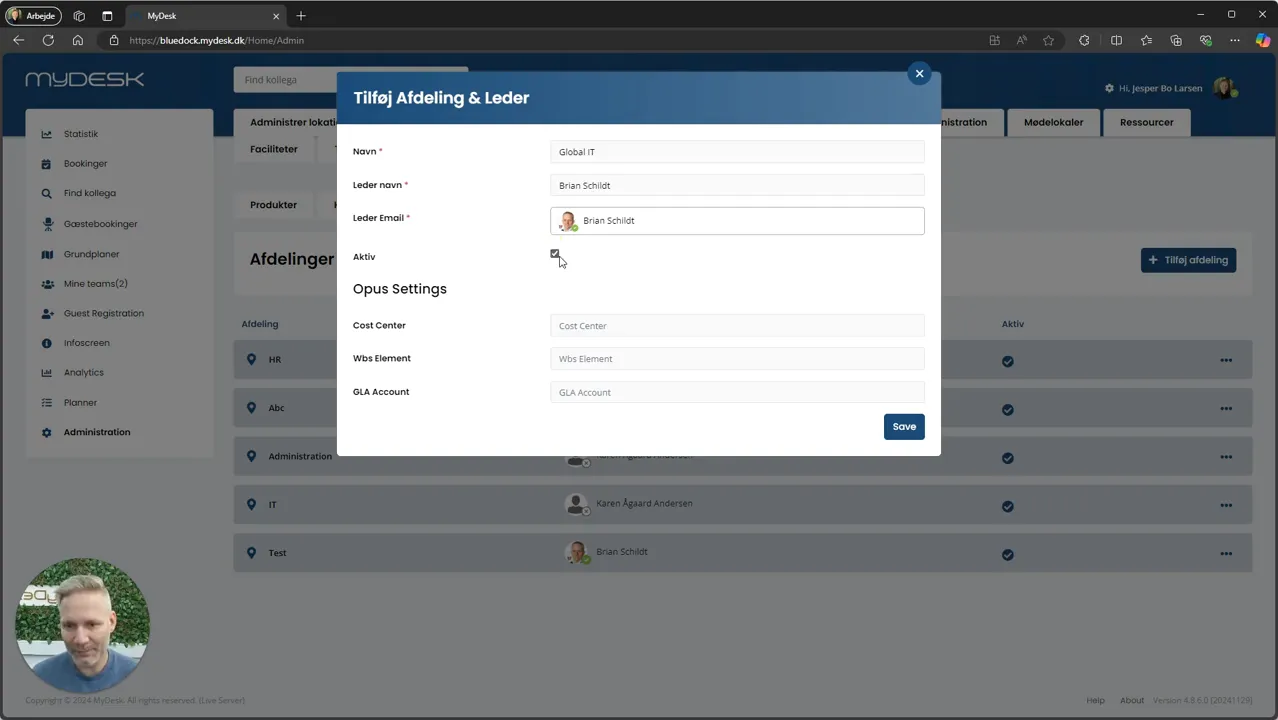
Select the responsible user after your approval process and mark the nutrition center as active.
Fill in relevant Opus fields if you have an agreed Opus integration.
Press Save and check the food center both in the administration and in the order view.
See screenshots from the original guide (5)
The screenshots are from the previous guide and may show an older user interface.