This is how you do it
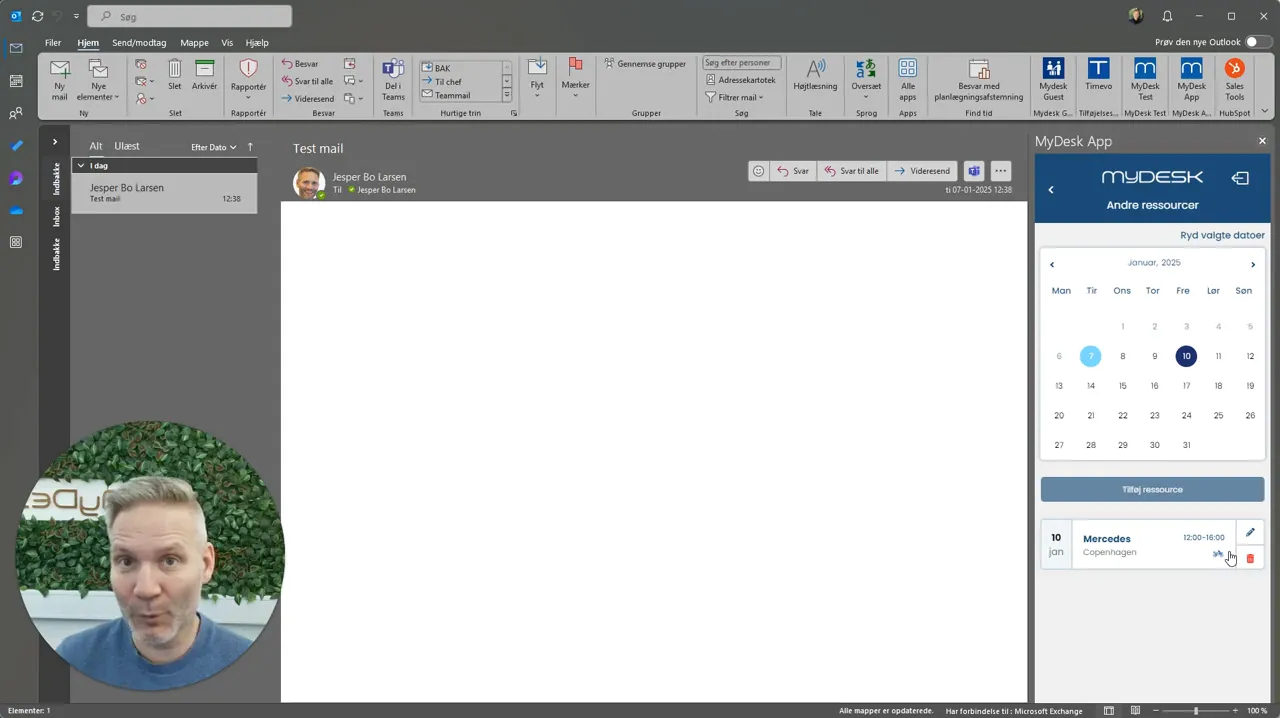
Open Other Resources in MyDesk on mobile, Outlook or Teams.
Select the date, press Add resource and select the location.
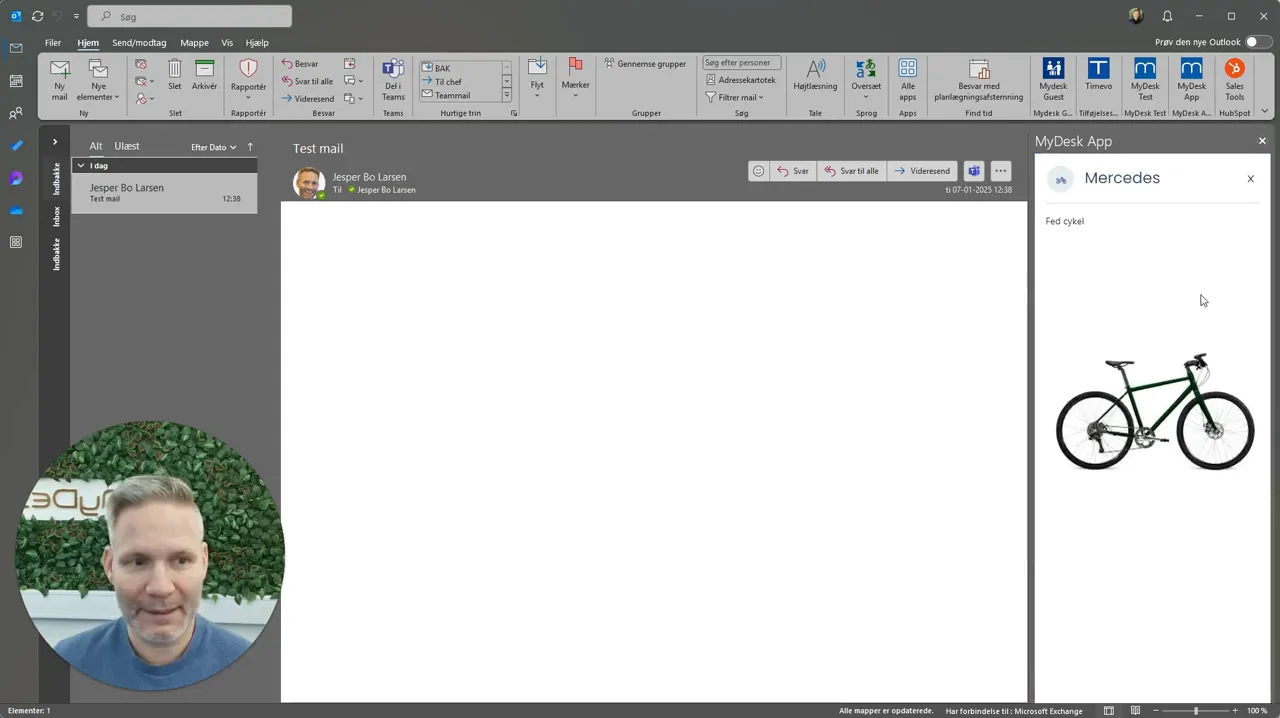
Find an available resource and, if necessary, view the image to verify the selection.
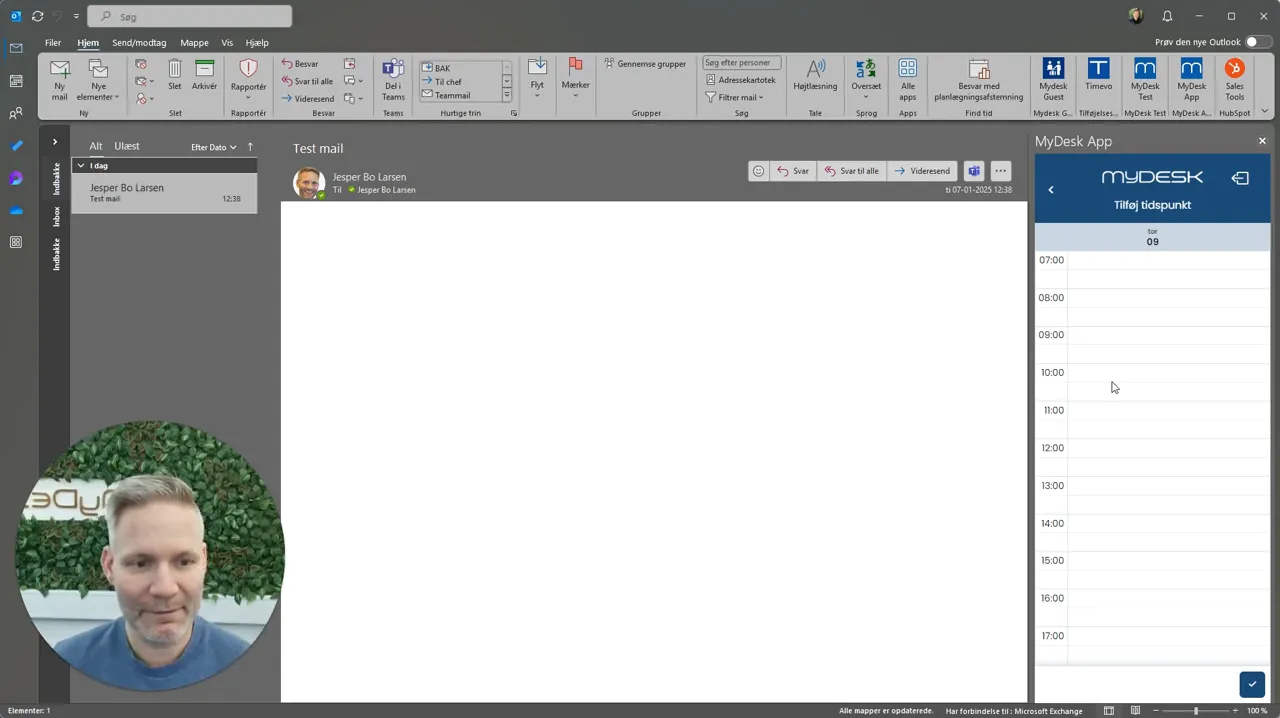
Select the time slot if the type supports hourly booking and confirm the booking.
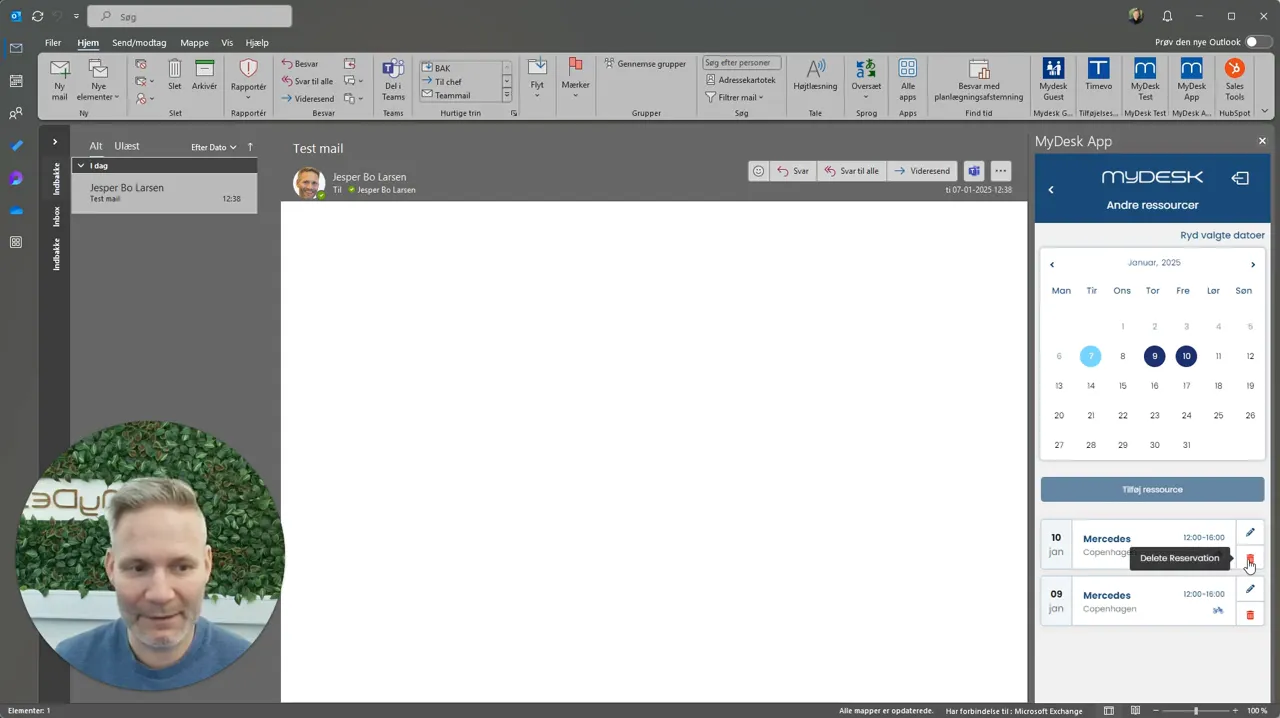
Check your booking and release the resource if you don't need it.
See screenshots from the original guide (4)
The screenshots are from the previous guide and may show an older user interface.