This is how you do it
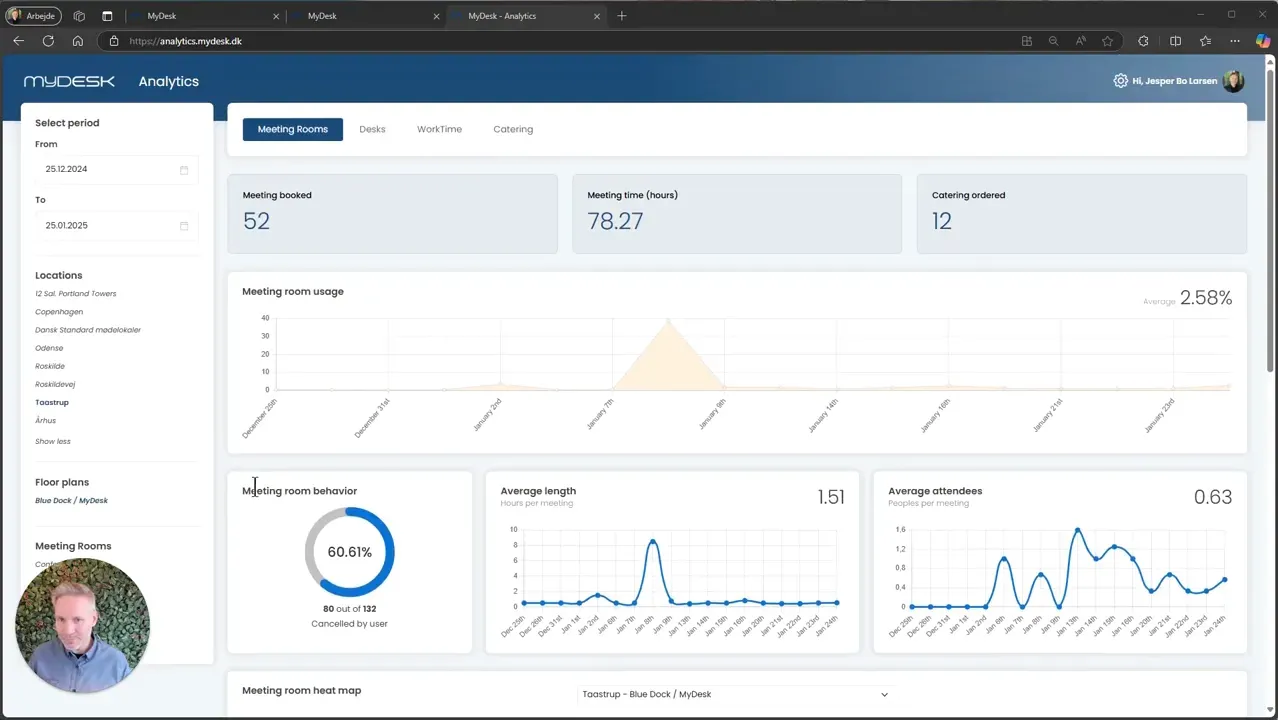
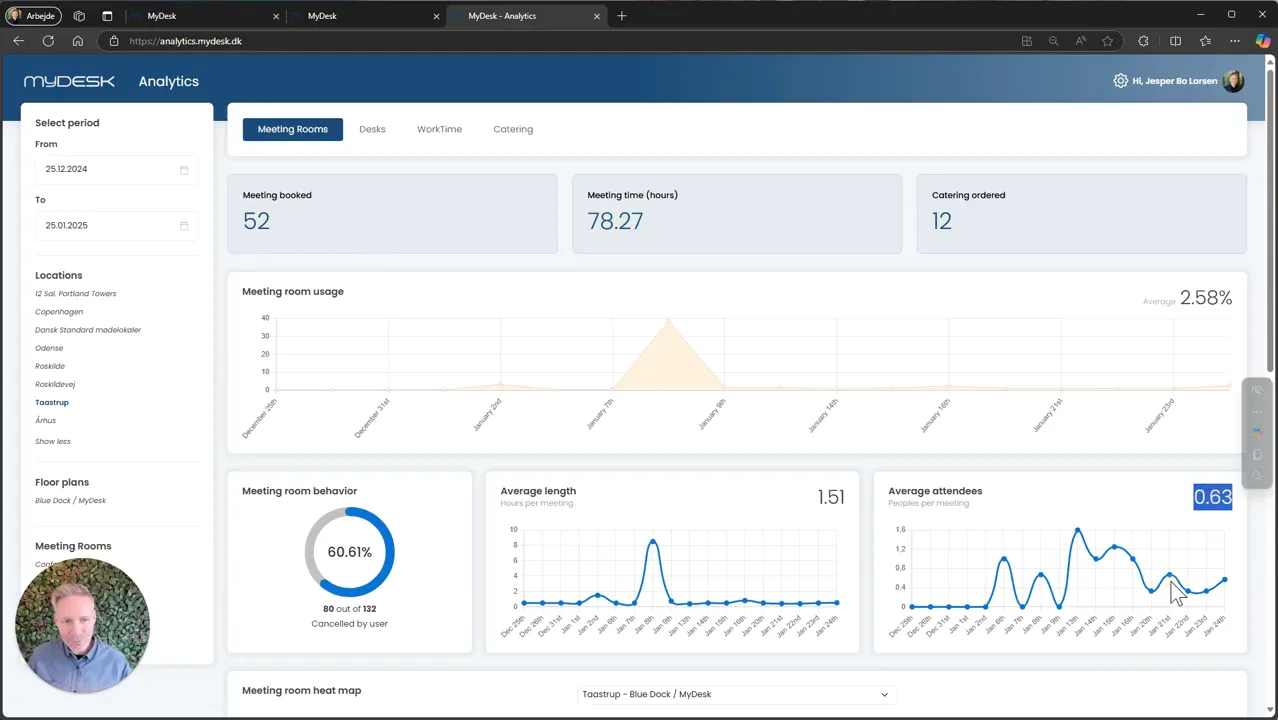
Open MyDesk Analytics, select Meeting Rooms, and narrow down the period, location and area.
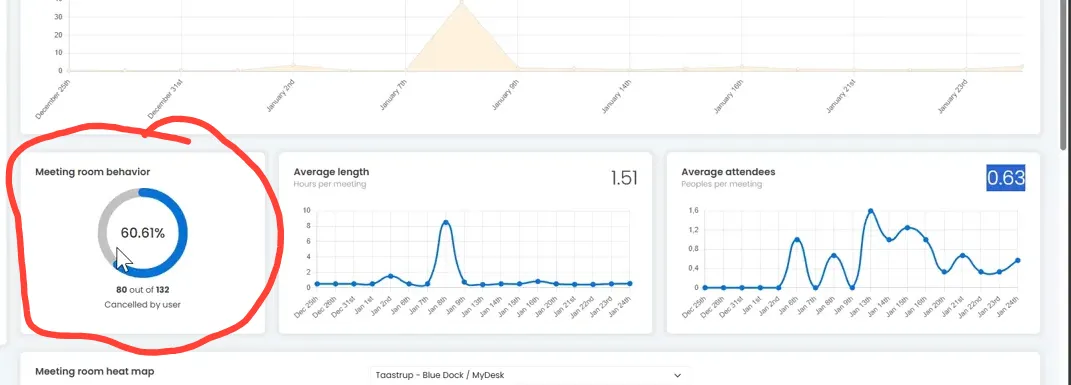
See bookings, meeting duration, number of participants and cancellations. A cancellation does not alone explain why a meeting was cancelled.
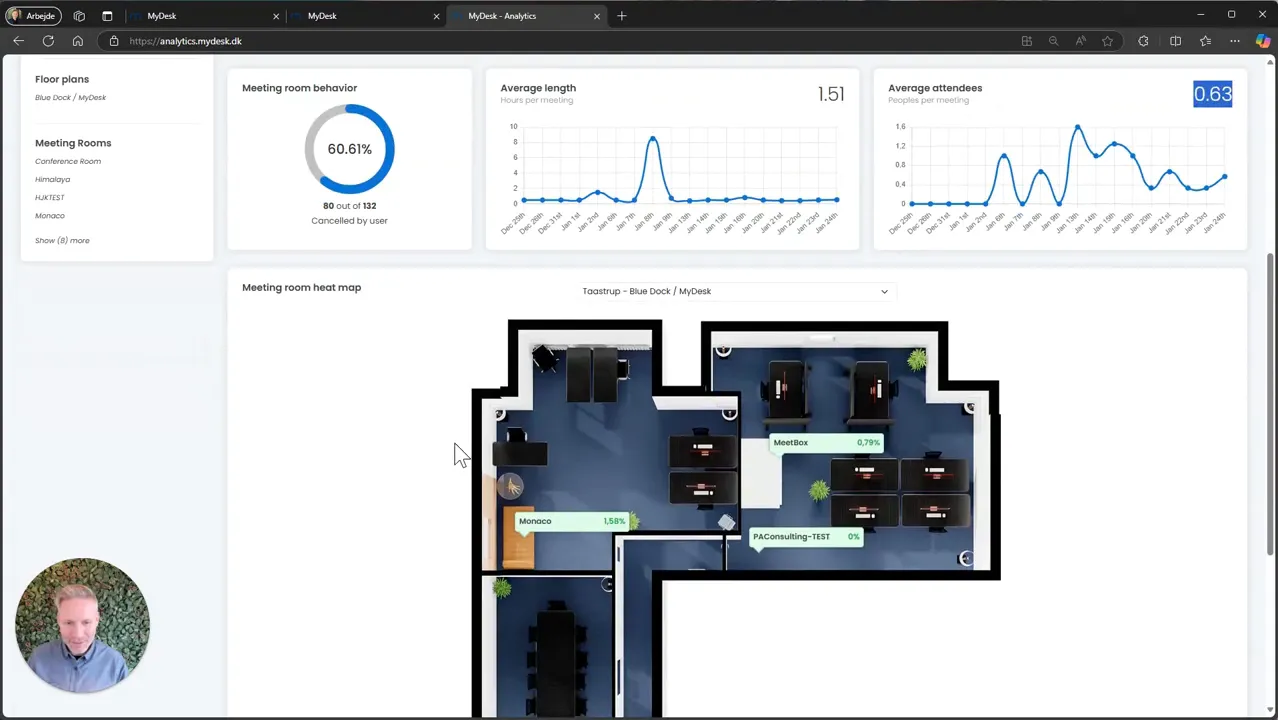
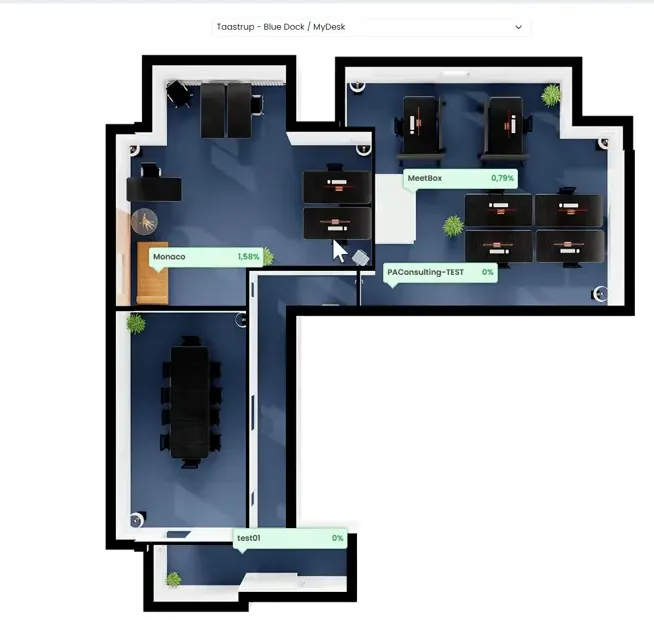
Use the floor plan to compare rooms and find rooms that are booked often or rarely.
With sensors, you can also compare reservations with registered activity. Booking data alone does not document actual attendance.
Use several periods and your knowledge of the office as a basis for changes to the size or number of premises.
See screenshots from the original guide (5)
The screenshots are from the previous guide and may show an older user interface.